
Transkripsi tepat
Lattice-2 Flash / Pro menyokong lebih 40 bahasa.
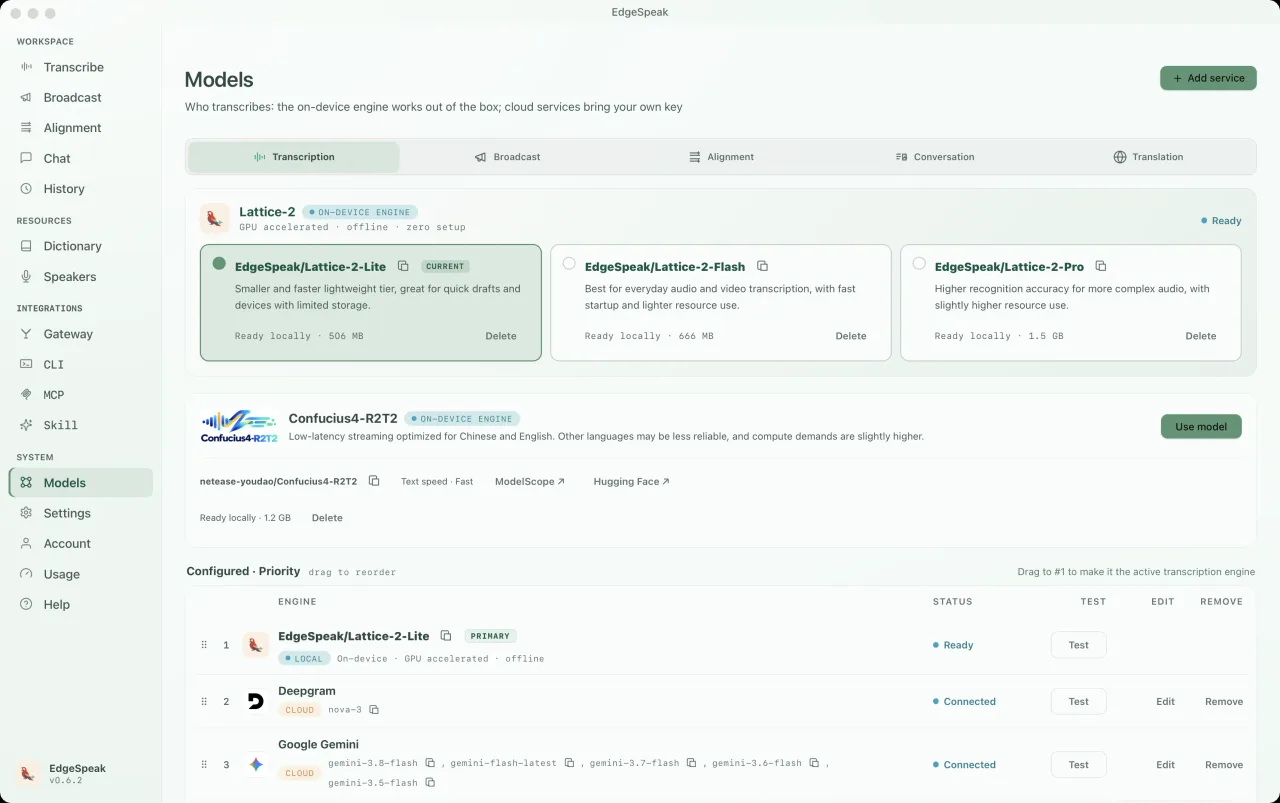
Enjin AI pada peranti
Transkripsikan audio dan video, jana pertuturan serta hasilkan transkrip dan sari kata dengan masa tepat pada komputer anda.
Bayar sekali, tiada pembaharuan.
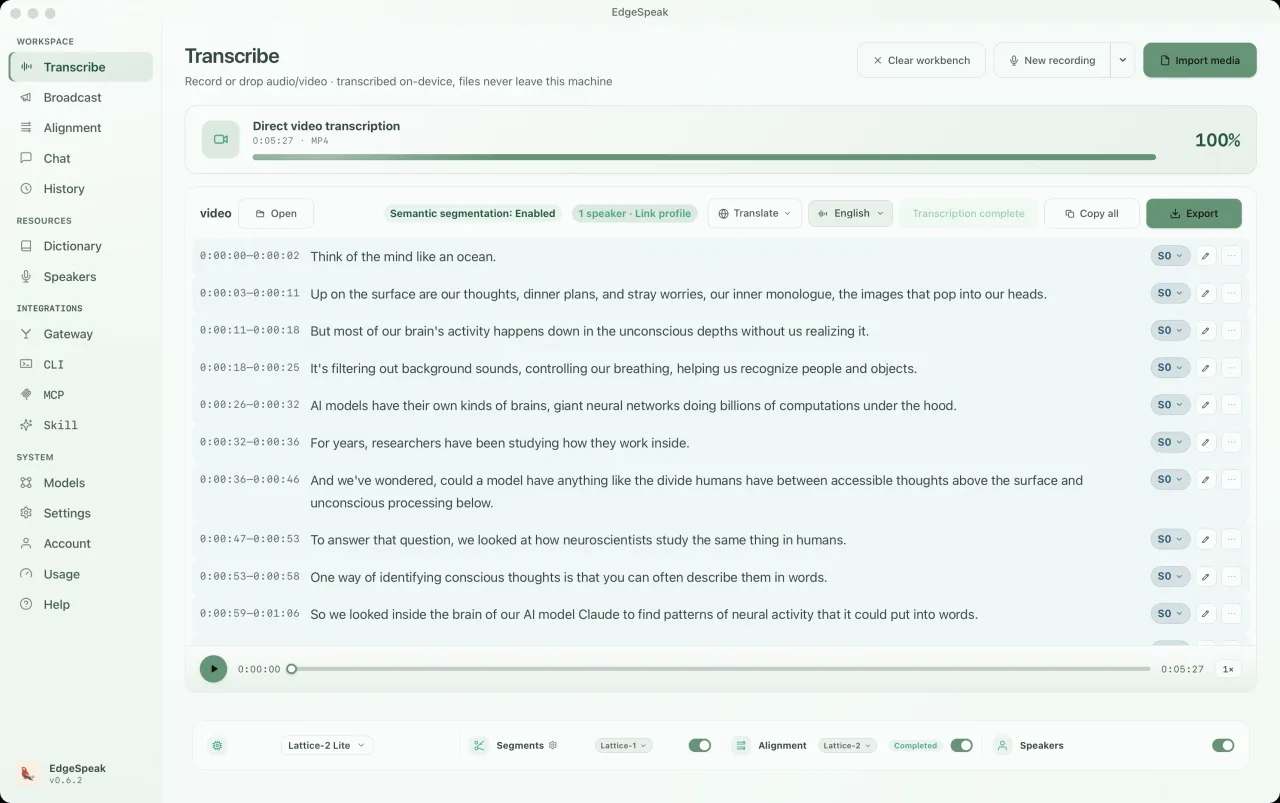
Pemahaman dan penjanaan audio
Lattice-2 Flash / Pro menyokong lebih 40 bahasa.
Sintesis penstriman setempat memainkan pertuturan semasa dijana.
Cap masa setiap perkataan serta eksport SRT, VTT dan sari kata karaoke.
Bercakap dengan model tempatan melalui suara atau teks, lengkap dengan persona dan interpretasi langsung.
Aplikasi desktop sebenar
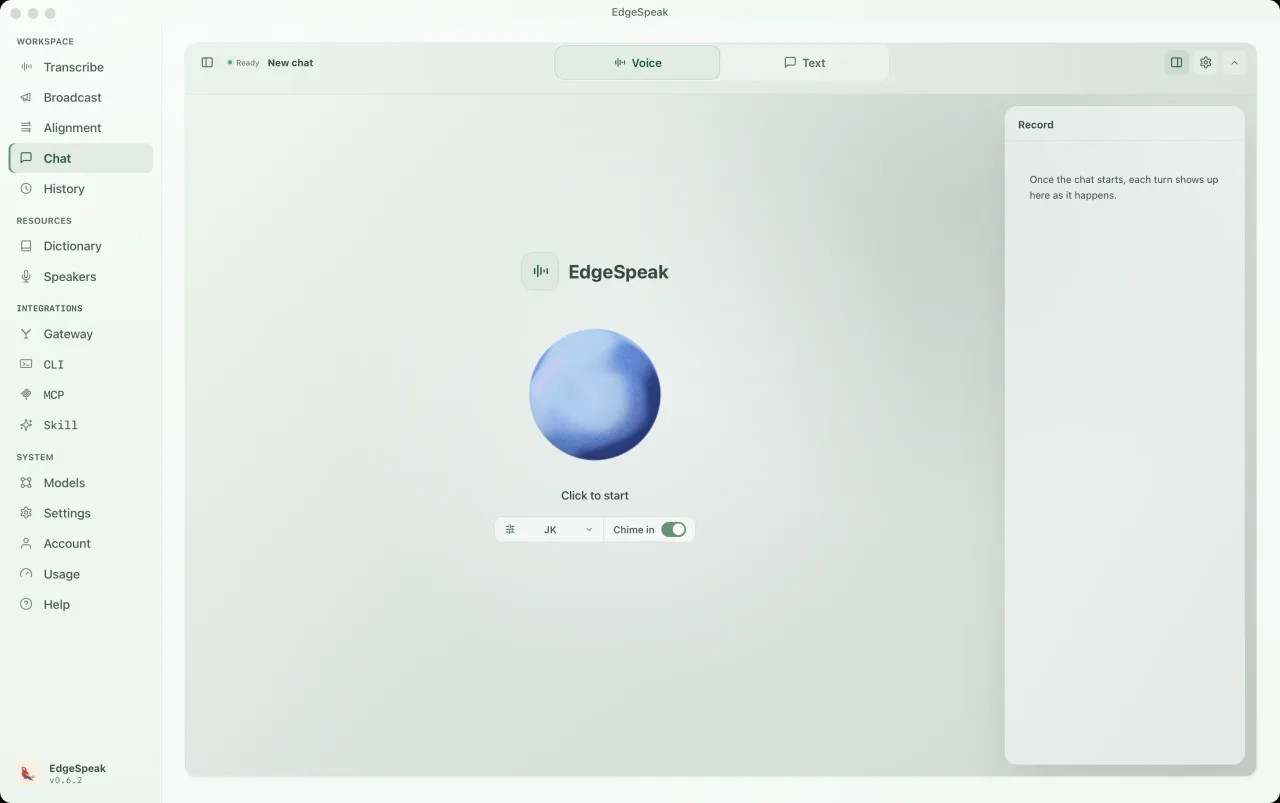
Sembang dikuasakan oleh model pada komputer anda. Tukar antara Suara dan Teks, pilih persona, dan setiap giliran disimpan pada panel rekod.
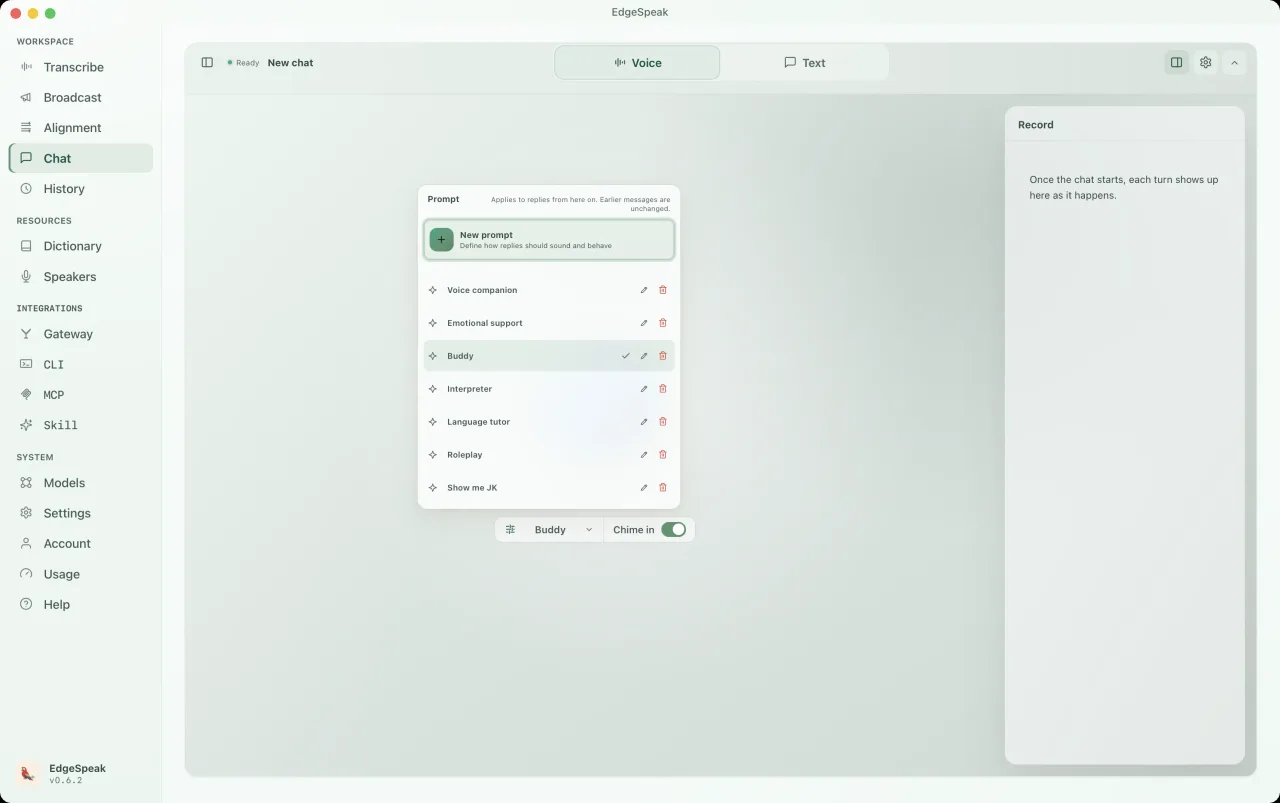
Pilih pratetap seperti Buddy, Rakan suara, Tutor bahasa atau Main peranan, atau tulis gesaan anda sendiri. Berkuat kuasa dari balasan seterusnya.
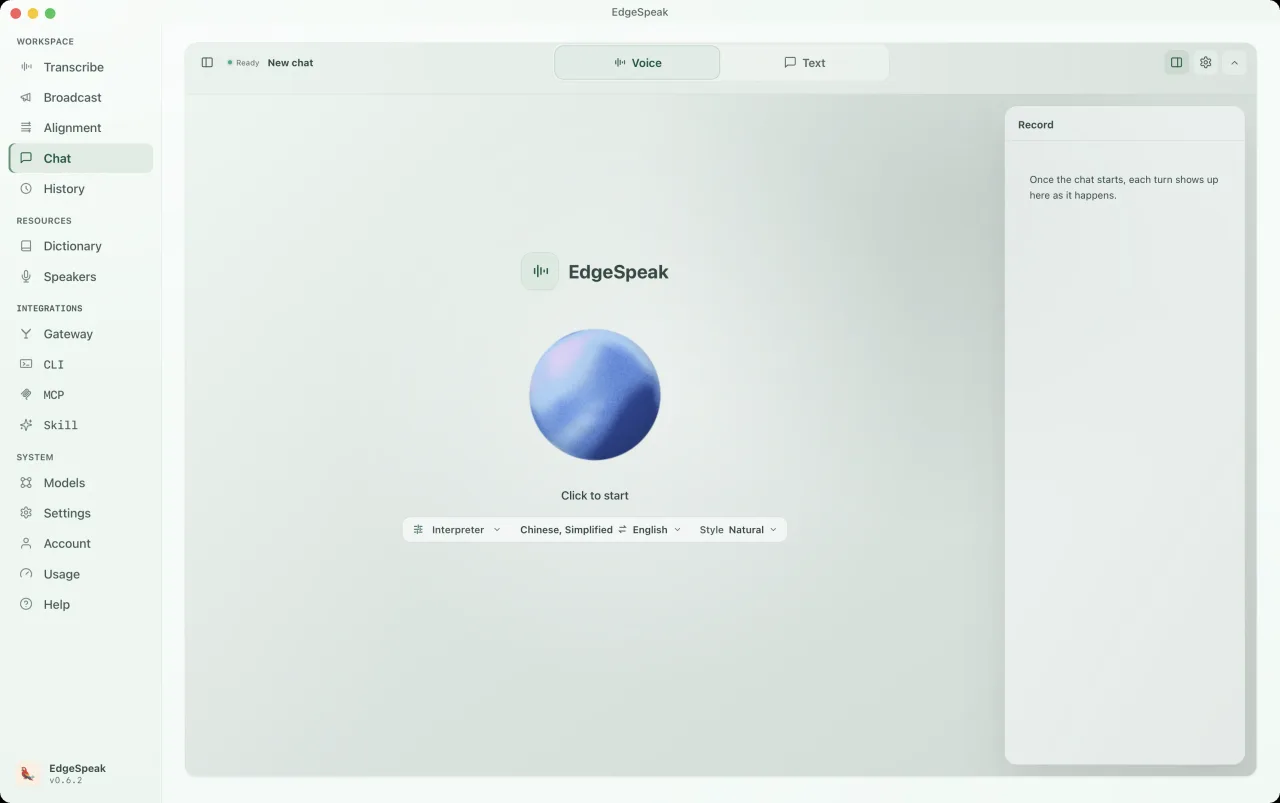
Tukar persona kepada Jurubahasa, pilih pasangan bahasa dan gaya, kemudian mula bercakap. Balasan akan kekal dalam panel rekod.
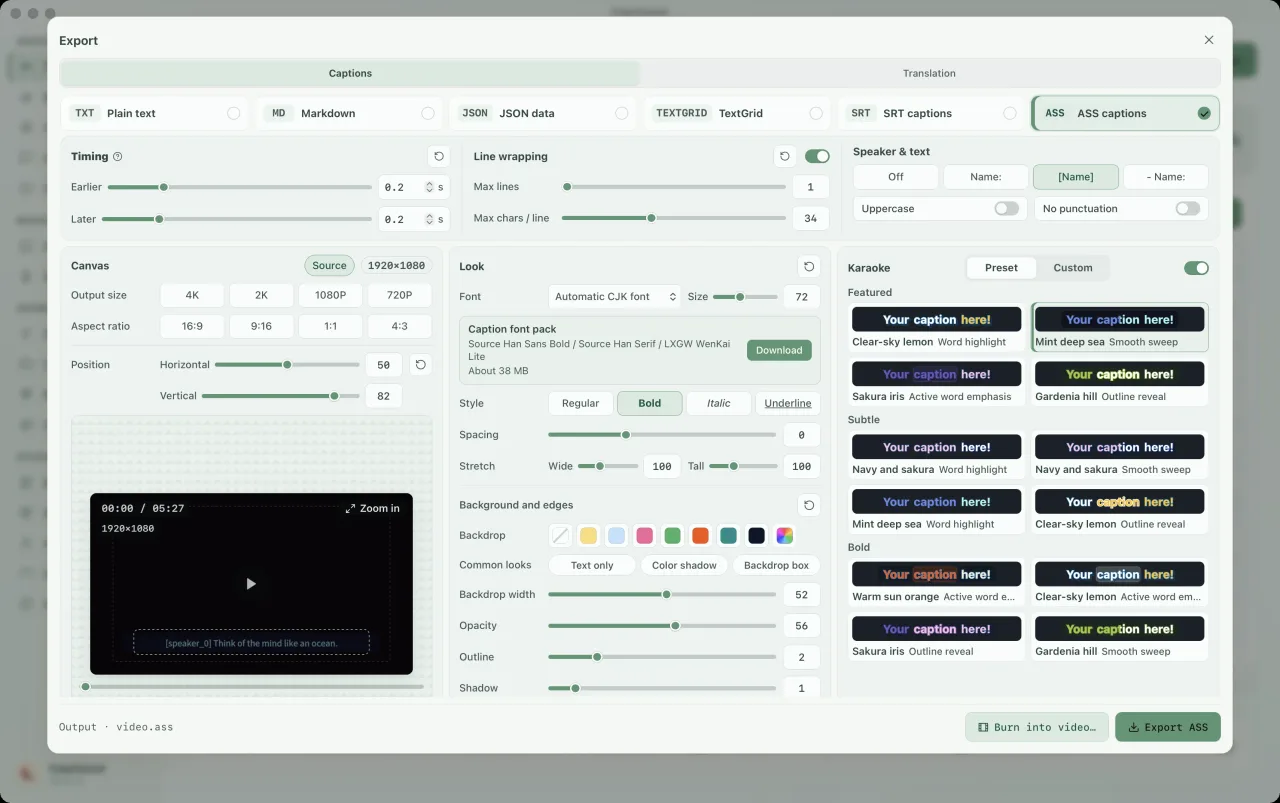
Pilih sari kata ASS dan hidupkan karaoke dalam panel eksport. Pilih pratetap sorotan, laraskan fon, warna dan saiz kanvas, kemudian pratonton gaya sebelum mengeksport. Sorotan setiap perkataan memerlukan cap masa perkataan; jalankan penjajaran dahulu jika perlu.
CLI & get laluan setempat
CLI merangkumi persekitaran masa jalan sendiri. Transkripsikan dan jana teks serta pertuturan tanpa membuka aplikasi desktop, atau hubungkan skrip, MCP dan ejen.
Pasang melalui Terminal pada macOS atau Linux, dan PowerShell pada Windows. Pada Linux, pemasang memilih binaan CUDA apabila menemui pemacu NVIDIA atau persekitaran CUDA, jika tidak binaan CPU; tambah --device cuda atau --device cpu untuk memilih sendiri. Pada Windows, CUDA dipasang secara pilihan.
macOS / Linux · Terminal
curl -fsSL https://edgespeak.com/install.sh | sh
Windows · PowerShell
irm https://edgespeak.com/install.ps1 | iex
Get laluan AI setempat
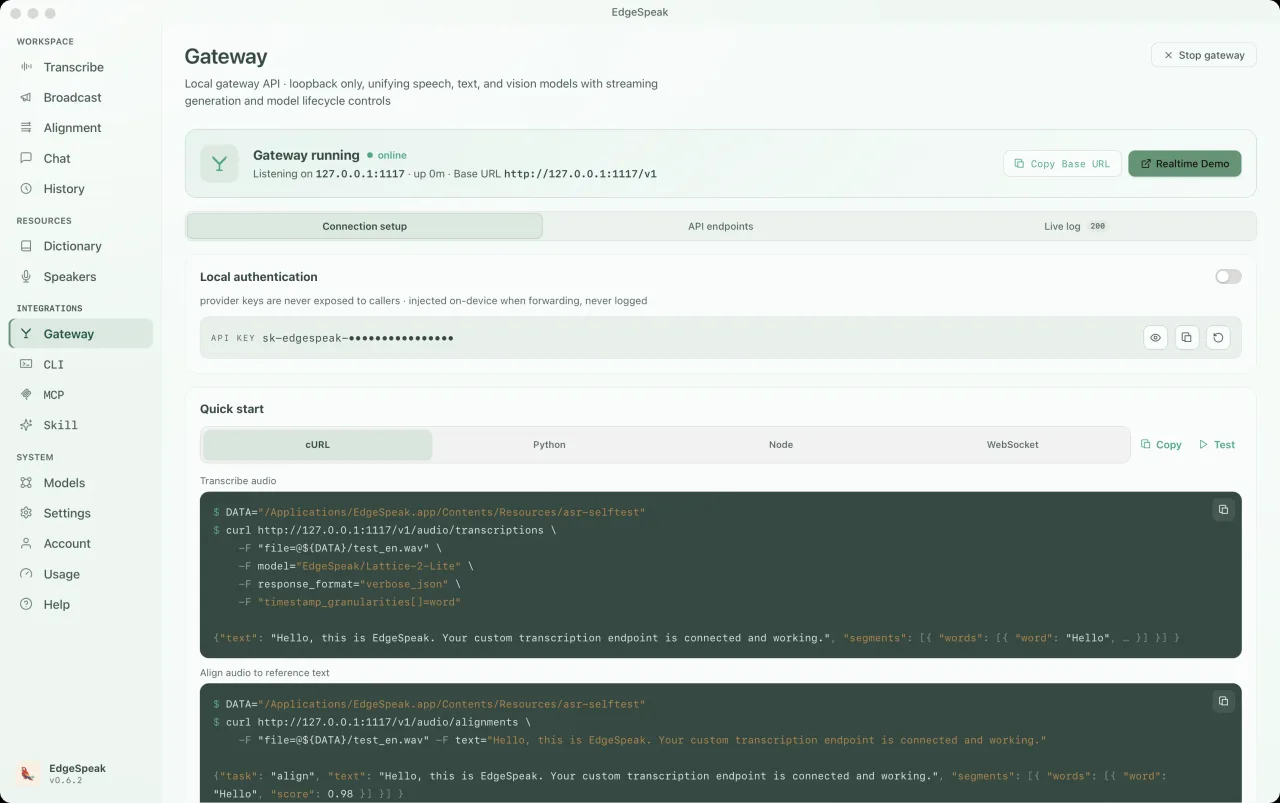
Hubungkan OpenClaw, Claude Code dan Cursor melalui API serasi OpenAI. Transkripsi, sintesis pertuturan, Chat Completions dan Realtime berkongsi satu get laluan setempat.
Berbual dalam masa nyata dengan sokongan celahan. Muatkan model bahasa setempat sebelum bermula.
ws://127.0.0.1:1117/v1/realtimePOST /v1/audio/transcriptionslocalhost:1117curl http://127.0.0.1:1117/v1/audio/transcriptions \ -H "Authorization: Bearer sk-edgespeak-..." \ -F file=@meeting.m4a \ -F model="lattice-2-flash"
EdgeSpeak Skills mengajar Claude Code, Cursor dan agen lain yang menyokong Skills untuk mentranskripsi pada peranti melalui CLI. Sumber terbuka di GitHub.
npx skills add lattifai/EdgeSpeak
LOCAL LM + VLM · 0.6B — 27B
Model Qwen dan Gemma terbina dalam dari 0.6B–27B. Proses teks dan imej melalui Chat Completions / Responses; input dan hasil kekal pada peranti anda.
Teks + imej · serasi OpenAI · setempat dahulu
Import model GGUF yang serasi. Keupayaan visual memerlukan fail projektor sepadan; pilihan model bergantung pada memori dan perkakasan.

Qwen/Qwen3-0.6B0.6B0.4 GBQwen/Qwen3.5-0.8B0.8B0.5 GBQwen/Qwen3.5-2B2B1.3 GB
google/gemma-4-E2B-it2B3.1 GBQwen/Qwen3.5-4BLalai4B2.7 GBgoogle/gemma-4-E4B-it4B5.0 GBQwen/Qwen3.5-9B9B5.7 GBgoogle/gemma-4-12B-it12B7.1 GBQwen/Qwen3.6-27B27B16.8 GBTeks + imej · serasi OpenAI · setempat dahulu
Choose by workflow
The right option depends on where media can go, how much workflow you want ready-made, and who should maintain the speech stack.
| Choose by workflow | EdgeSpeak | Cloud transcription | Self-managed local model |
|---|---|---|---|
| Source media | Stays on this device | Uploaded to a remote service | Stays on the machine you configure |
| Review workflow | Desktop playback, transcript, and export | Depends on the provider | You build the review surface |
| Tools and agents | Local CLI and OpenAI-compatible gateway | Hosted API | You build and maintain the integration |
| Operations | Install the app and local models | Manage an account, API keys, and network access | Maintain the runtime, models, and dependencies |
Workflows
Terokai fail peribadi, transkripsi audio dan video setempat, automasi agent serta pilihan setempat berbanding cloud.
Keep source media on-device and generate the transcript locally.
Review with playback, then export text or subtitles.
Install the EdgeSpeak Skill and let agents call the local CLI.
Choose by media location, processing scale, and integration path.
Privasi
Audio, video, imej, perbualan dan transkrip kekal pada peranti melainkan anda mengeksport, memuat naik atau berkongsinya sendiri.
Biarkan komputer anda memahami mesyuarat, temu bual dan video sendiri.
Eksport teks atau sari kata, atau biarkan alat lain menyambung daripada transkrip siap.
FAQ
Pemprosesan setempat, platform disokong, model dan pelan, jelas sebelum membeli.
See all questionsImported media and generated transcripts stay on your device unless you export, upload, or share them yourself.
EdgeSpeak is available for Apple Silicon Macs with macOS 14.0 or later. A Windows 10/11 x64 version is also available and supports in-app automatic updates.
Flash is tuned for faster everyday transcription. Pro raises the accuracy ceiling for harder audio and uses more local resources.
Yes. The bundled CLI and local OpenAI-compatible gateway let trusted tools on the same computer call the local speech engine.
Harga
Atau cuba percuma dahulu. Tanpa kad kredit.
Hanya input dicaj, output percuma.
LangganMaklum balas komuniti
Kongsi workflow sebenar, keperluan integrasi agent dan idea produk di Discord.
Maklum balas anda terus masuk ke pembangunan produk.
Enjin AI pada peranti
Transkripsikan audio dan video, jana pertuturan serta hasilkan transkrip dan sari kata dengan masa tepat pada komputer anda.