आपके device पर EdgeSpeak
EdgeSpeak आपके सामने वाले computer पर audio और video को text में बदलता है.
Device-side speech engine
EdgeSpeak professional speech models को desktop के लिए compress करता है और meetings, interviews, videos व recordings को locally transcribe करता है. Audio, video और transcripts आपके device पर रहते हैं.
डेवलपर · CLI & Skills
एक लाइन का जाना-पहचाना इंस्टॉल, बिल्कुल आपके डेवलपर टूल्स की तरह। CLI आत्मनिर्भर है, डेस्कटॉप ऐप की ज़रूरत नहीं, और सीधे टर्मिनल से ट्रांसक्राइब करता है।
macOS या Linux पर Terminal से और Windows x64 पर PowerShell से इंस्टॉल करें। CPU डिफ़ॉल्ट रूप से चलता है; Linux NVIDIA CUDA को अपने आप पहचानता है, जबकि Windows पर CUDA को अलग से चुनना होता है।
macOS / Linux · Terminal
curl -fsSL https://edgespeak.com/install.sh | sh
Windows · PowerShell
irm https://edgespeak.com/install.ps1 | iex
EdgeSpeak Skills, Claude Code और Cursor जैसे Skills-समर्थित एजेंटों को CLI के ज़रिए डिवाइस पर ट्रांसक्राइब करना सिखाती हैं। GitHub पर ओपन सोर्स।
npx skills add lattifai/EdgeSpeak
Fast on-device transcription
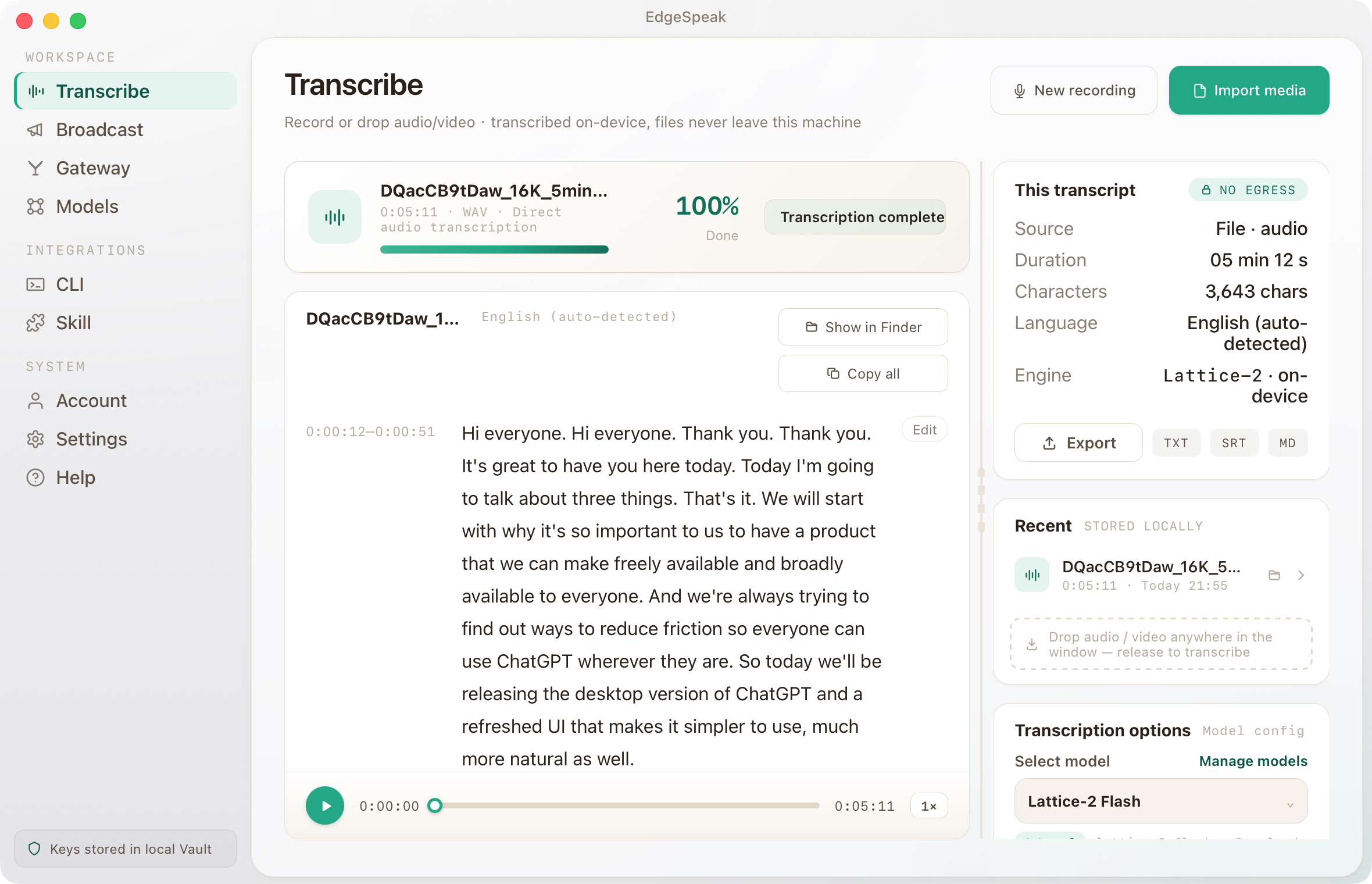
Meeting, interview या video डालें. EdgeSpeak इसी computer पर speech understanding, transcript generation और text alignment करता है; downstream tools को आगे काम करना हो, तो वे local gateway से transcript ले लेते हैं.
EdgeSpeak आपके सामने वाले computer पर audio और video को text में बदलता है.
Transcript playback के साथ चलता है, इसलिए review और correction एक ही जगह होते हैं.
Text या subtitles export करें, या finished transcript को दूसरे tool में आगे इस्तेमाल करें.
Dedicated on-device model
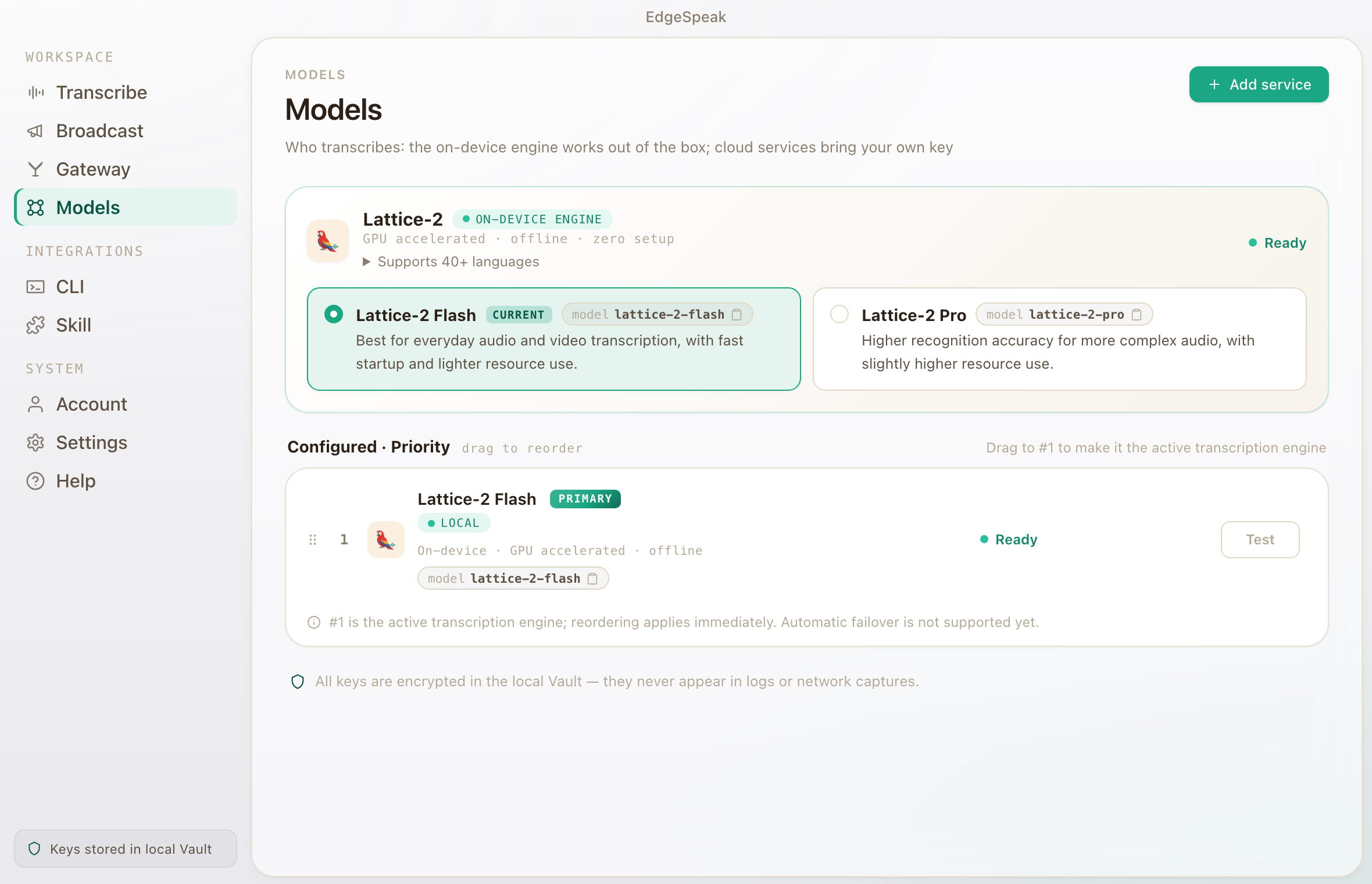
Lattice-2 को on-device inference के लिए compress और optimize किया गया है, ताकि सामान्य computer meetings, interviews, videos और recordings efficiently process कर सके.
Speech AI model को desktop execution के अनुकूल बनाया गया है, wait time घटता है, और local transcription external services पर depend नहीं करती.
Flash daily meetings और video transcription के लिए faster response देता है. Pro harder audio, complex accents और higher accuracy ceiling के लिए है, और ज़्यादा local resources इस्तेमाल करता है.
Lattice-2 40+ languages, multiple English accents और Chinese dialects support करता है; वही local engine gateway से CLI, agents और automation flows को मिल सकता है.
LOCAL LM + VLM · 0.6B — 27B
EdgeSpeak अब 0.6B से 27B तक Qwen और Gemma मॉडल प्रदान करता है। एक समय में एक मॉडल लोड होता है और निष्क्रिय होने पर सो जाता है।
स्थानीय मॉडल से जनरेट करें
Qwen/Qwen3-0.6B0.6B0.4 GBQwen/Qwen3.5-0.8B0.8B0.5 GBQwen/Qwen3.5-2B2B1.3 GB
google/gemma-4-E2B-it2B3.1 GBQwen/Qwen3.5-4Bडिफ़ॉल्ट4B2.7 GBgoogle/gemma-4-E4B-it4B5.0 GBQwen/Qwen3.5-9B9B5.7 GBgoogle/gemma-4-12B-it12B7.1 GBQwen/Qwen3.6-27B27B16.8 GBटेक्स्ट + इमेज · OpenAI-संगत · लोकल-फर्स्ट
Real desktop app
Audio या video import करें, local model चुनें और result export करें. Automation के लिए local gateway से काम CLI या agents को दें.
Workflows
Private files, local audio-video transcription, agent automation और local बनाम cloud options देखें.
Keep source media on-device and generate the transcript locally.
Review with playback, then export text or subtitles.
Install the EdgeSpeak Skill and let agents call the local CLI.
Choose by media location, processing scale, and integration path.
गोपनीयता
EdgeSpeak is designed so imported media and generated transcripts stay on your device unless you export, upload, or share them.
Speech AI model को desktop execution के अनुकूल बनाया गया है, wait time घटता है, और local transcription external services पर depend नहीं करती.
Text या subtitles export करें, या finished transcript को दूसरे tool में आगे इस्तेमाल करें.
Local speech gateway
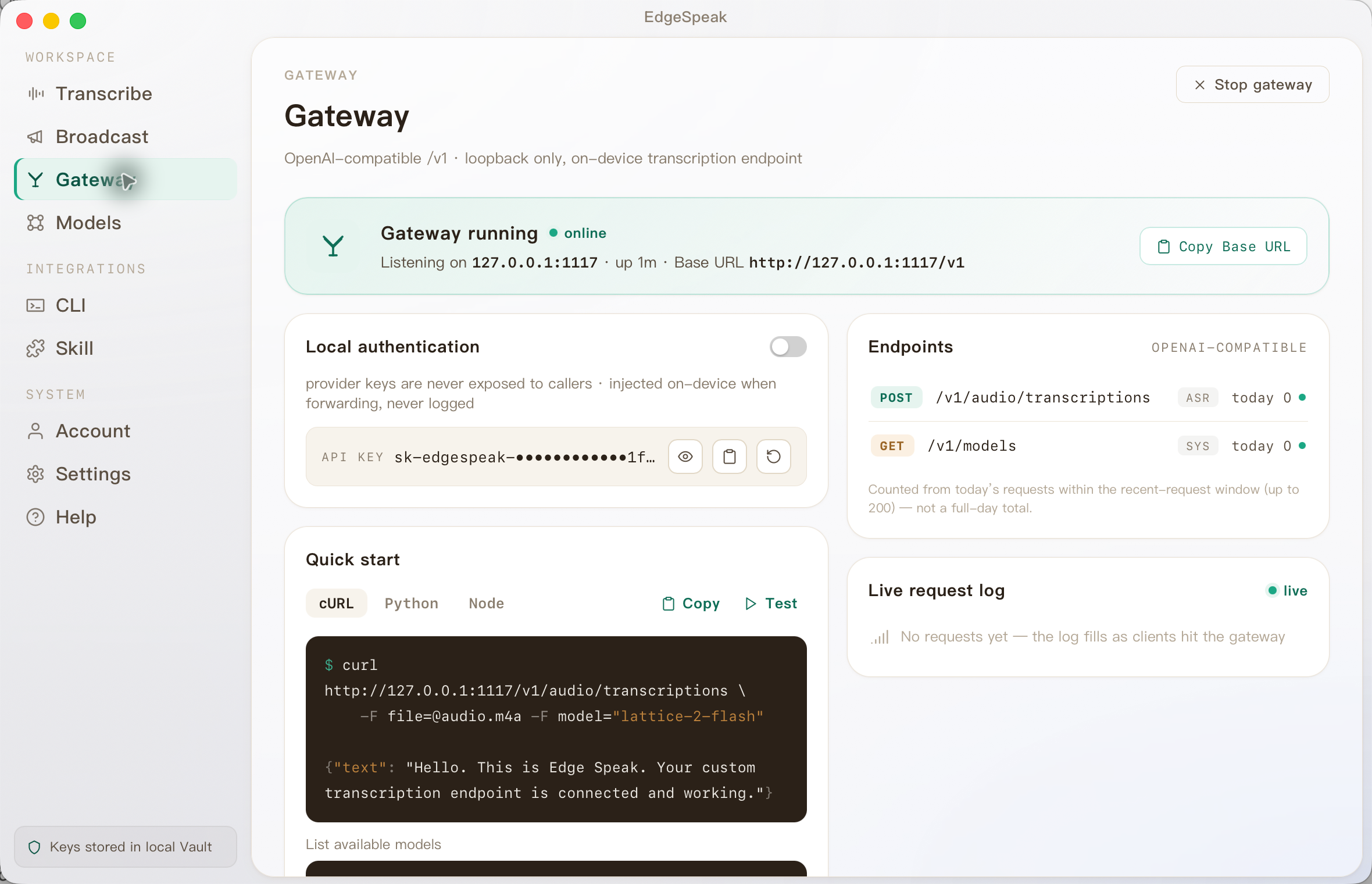
EdgeSpeak local, OpenAI-compatible speech API देता है, जिससे CLI, agents और automation उसी computer पर transcribe कर सकें. यह कोई दूसरा cloud नहीं, आपके computer का speech gateway है.
POST /v1/audio/transcriptionslocalhost:1117curl http://127.0.0.1:1117/v1/audio/transcriptions \ -H "Authorization: Bearer sk-edgespeak-..." \ -F file=@meeting.m4a \ -F model="lattice-2-flash"
Choose by workflow
The right option depends on where media can go, how much workflow you want ready-made, and who should maintain the speech stack.
| Choose by workflow | EdgeSpeak | Cloud transcription | Self-managed local model |
|---|---|---|---|
| Source media | Stays on this device | Uploaded to a remote service | Stays on the machine you configure |
| Review workflow | Desktop playback, transcript, and export | Depends on the provider | You build the review surface |
| Tools and agents | Local CLI and OpenAI-compatible gateway | Hosted API | You build and maintain the integration |
| Operations | Install the app and local models | Manage an account, API keys, and network access | Maintain the runtime, models, and dependencies |
Early bird
Current release में local audio-video transcription, local gateway और CLI शामिल हैं. एक बार खरीदें और future model व speech capability updates पाते रहें.
अभी $49, regular price $99. Early bird के दौरान one-time lifetime purchase.
For more devices or team purchases: sales@edgespeak.com
डाउनलोड
Choose the current macOS build or open the Windows Beta page for the x64 installer and verified setup instructions.
Use the available desktop build today. Your account keeps purchase, license, and device management in one place.
Download the Windows x64 Beta, verify its SHA-256, and follow the installation guide. This Beta uses manual updates.
Sign in with the email used for purchase, then manage your license key and activated devices from your account.
FAQ
On-device processing, supported platforms, models, and the lifetime license — answered before you buy.
See all questionsImported media and generated transcripts stay on your device unless you export, upload, or share them yourself.
EdgeSpeak is available for Apple Silicon Macs with macOS 14.0 or later. A Windows 10/11 x64 Beta is also available for manual installation; Windows in-app updates are not enabled yet.
The early-bird lifetime license is a one-time purchase for permanent use, future model and speech-capability updates, and up to four activated devices.
Flash is tuned for faster everyday transcription. Pro raises the accuracy ceiling for harder audio and uses more local resources.
Yes. The bundled CLI and local OpenAI-compatible gateway let trusted tools on the same computer call the local speech engine.
Community feedback
Discord पर real workflows, agent integration needs और product ideas share करें.
आपका feedback सीधे product में जाता है.
Device-side speech engine
Transcribe locally, review against an accurate timeline, then export or continue through the local gateway.