
Accurate transcription
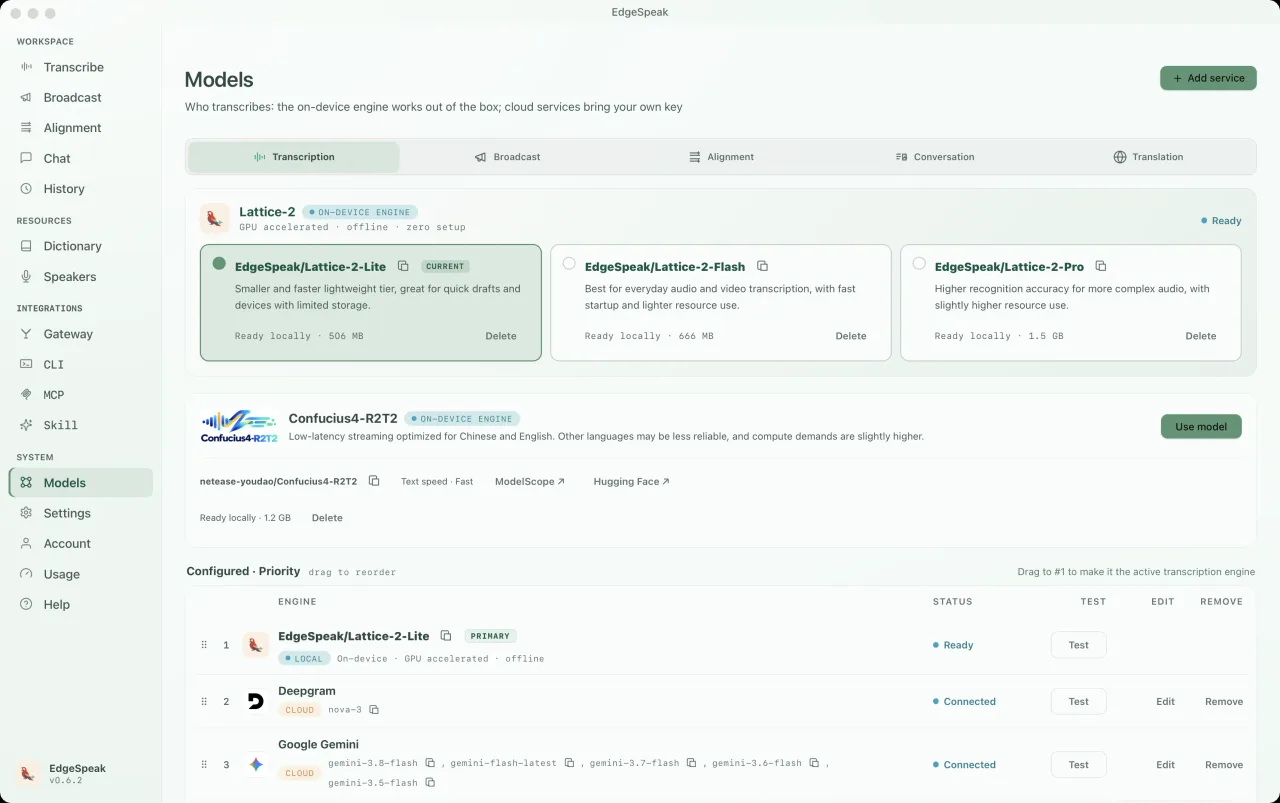
Lattice-2 Flash / Pro supports more than 40 languages.
On-device AI engine
Transcribe audio and video, generate speech, and create transcripts and subtitles with precise timing on your own computer.
Pay once. No renewals.
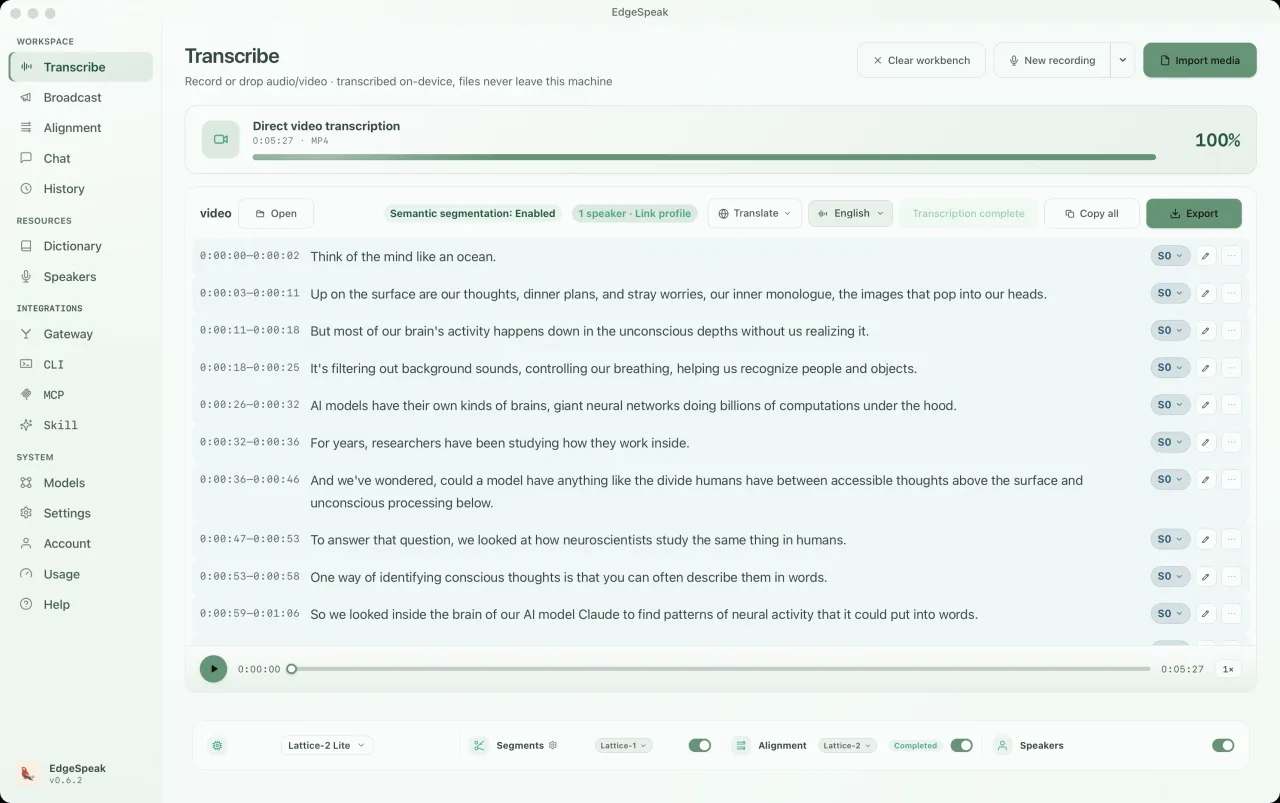
Audio understanding and generation
Lattice-2 Flash / Pro supports more than 40 languages.
Local streaming synthesis starts speaking as audio is generated.
Word-level timestamps with SRT, VTT, and karaoke subtitle export.
Talk to a local model by voice or text, with personas and live interpretation.
Real desktop app
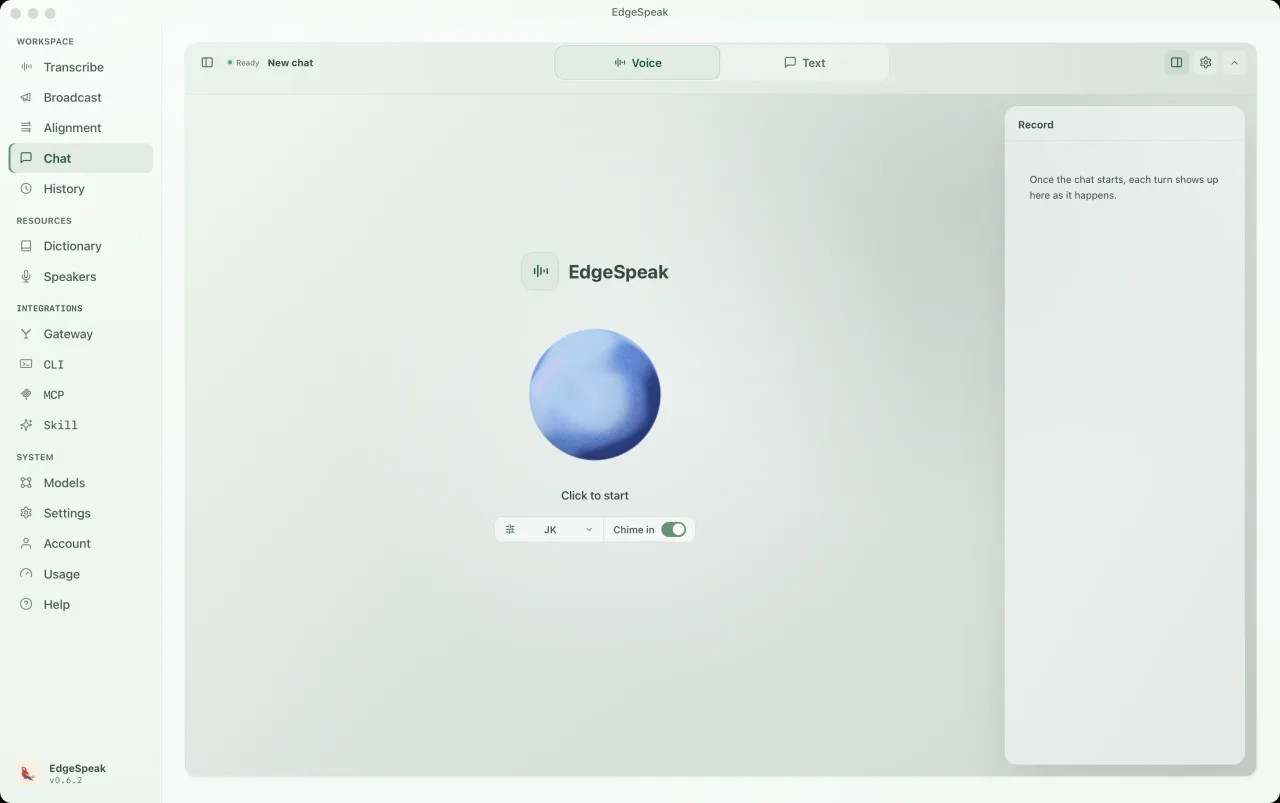
Chat runs on models on your computer. Switch between Voice and Text, pick a persona, and every turn is saved to the record panel.
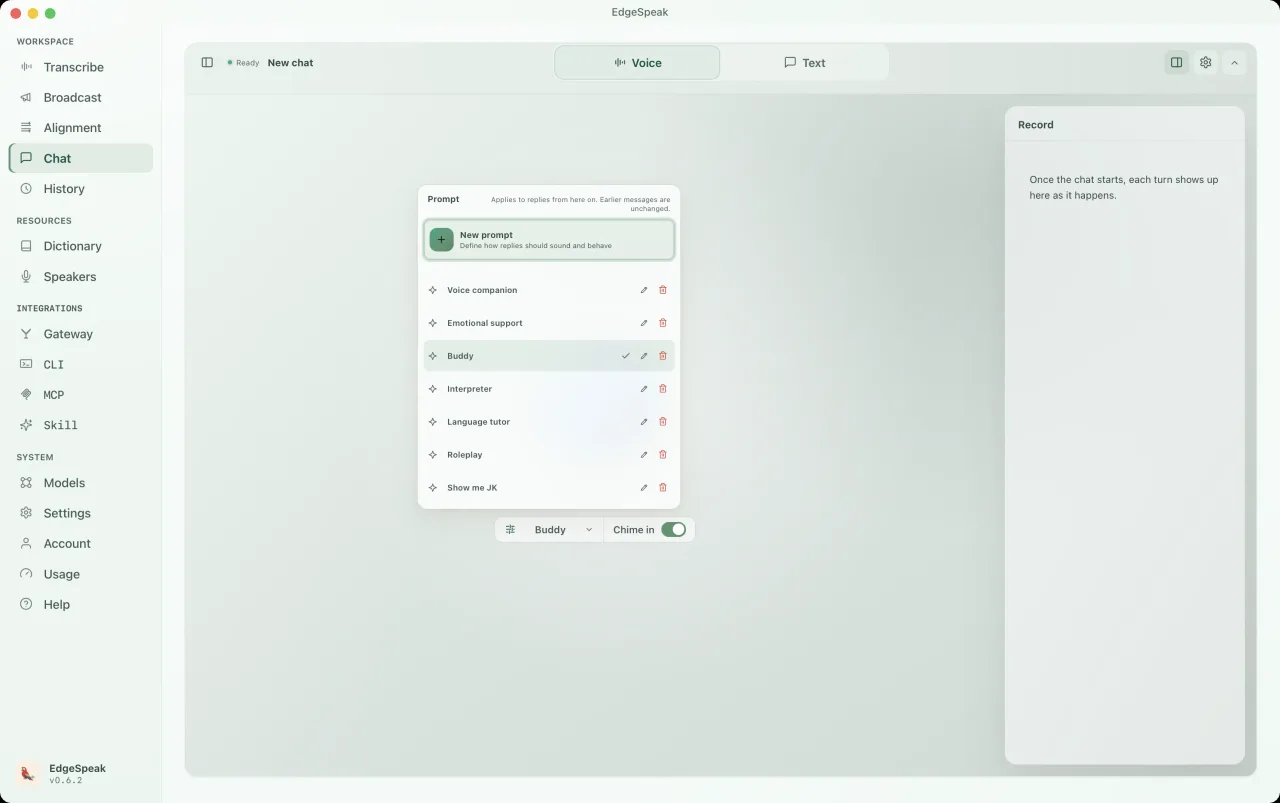
Pick a preset such as Buddy, Voice companion, Language tutor or Roleplay, or write your own prompt. It applies from the next reply.
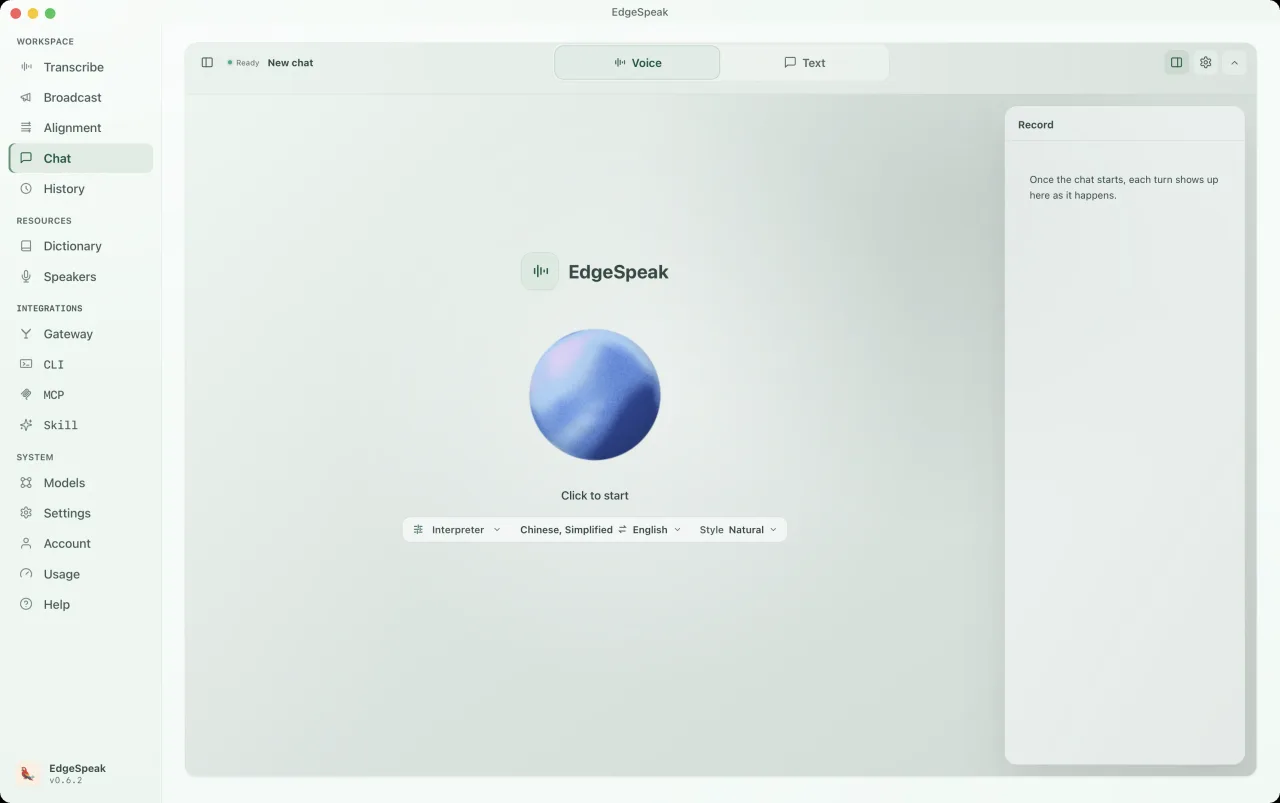
Switch the persona to Interpreter, choose the language pair and a style, then speak. Replies stay in the record panel.
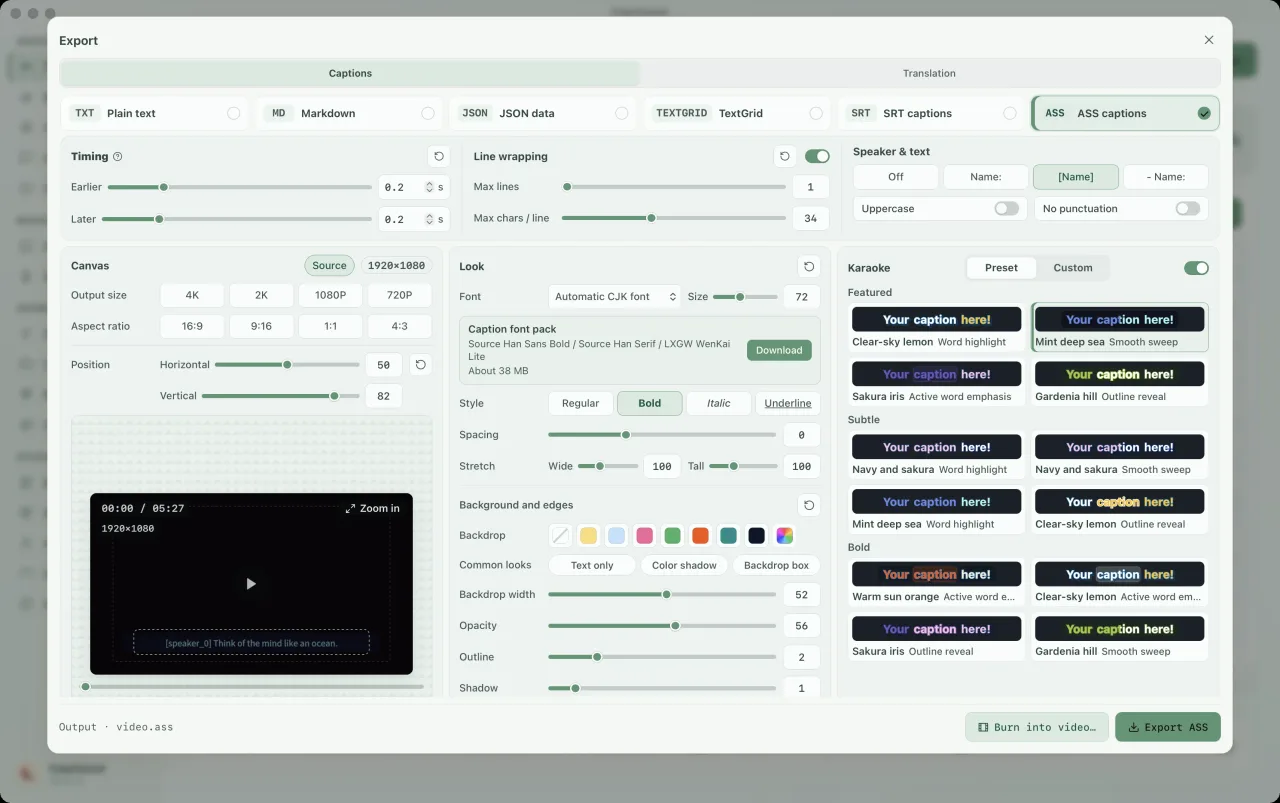
Choose ASS subtitles and turn on karaoke in the export panel. Pick a highlight preset, adjust fonts, colors and canvas size, then preview the style and export. Word-by-word highlighting requires word timestamps; run alignment first if needed.
CLI & local gateway
The CLI includes its own local runtime. Transcribe, generate text, and synthesize speech without opening the desktop app, or connect scripts, MCP, and agents.
Install from Terminal on macOS or Linux, or from PowerShell on Windows. On Linux the installer picks the CUDA build when it finds an NVIDIA driver or a CUDA environment and otherwise the CPU build; add --device cuda or --device cpu to choose. Windows offers CUDA as an opt-in install.
macOS / Linux · Terminal
curl -fsSL https://edgespeak.com/install.sh | sh
Windows · PowerShell
irm https://edgespeak.com/install.ps1 | iex
Local AI gateway
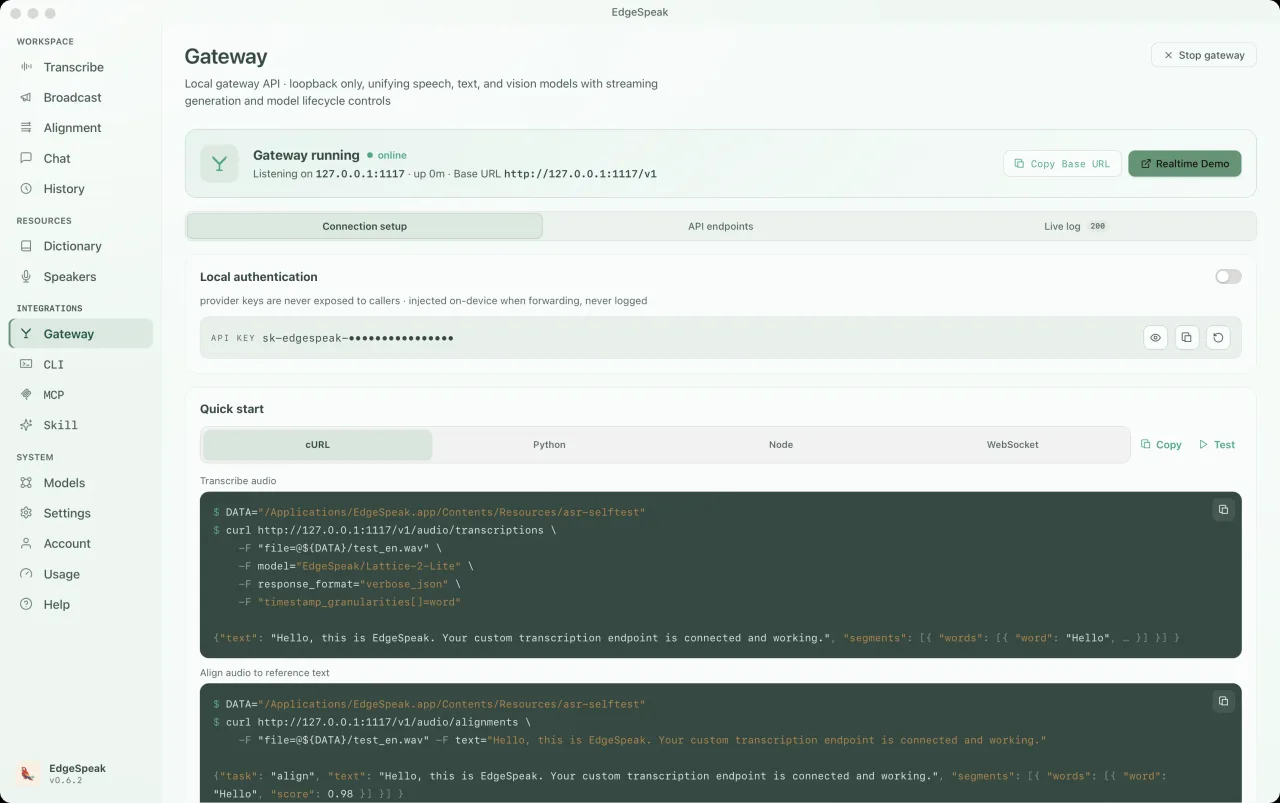
Connect tools such as OpenClaw, Claude Code, and Cursor through OpenAI-compatible APIs. Transcription, speech synthesis, Chat Completions, and Realtime share one local gateway.
Talk in real time with interruption support. Load a local language model before starting.
ws://127.0.0.1:1117/v1/realtimePOST /v1/audio/transcriptionslocalhost:1117curl http://127.0.0.1:1117/v1/audio/transcriptions \ -H "Authorization: Bearer sk-edgespeak-..." \ -F file=@meeting.m4a \ -F model="lattice-2-flash"
EdgeSpeak Skills teach Claude Code, Cursor, and other Skills-capable agents to transcribe on-device through the CLI. Open source on GitHub.
npx skills add lattifai/EdgeSpeak
LOCAL LM + VLM · 0.6B — 27B
Built-in Qwen and Gemma models span 0.6B–27B. Process text and images through Chat Completions / Responses while inputs and generated results stay on your device.
Text + images · OpenAI-compatible · local-first
Import compatible GGUF models. Vision requires a matching projector file; model choice depends on your memory and hardware.

Qwen/Qwen3-0.6B0.6B0.4 GBQwen/Qwen3.5-0.8B0.8B0.5 GBQwen/Qwen3.5-2B2B1.3 GB
google/gemma-4-E2B-it2B3.1 GBQwen/Qwen3.5-4BDefault4B2.7 GBgoogle/gemma-4-E4B-it4B5.0 GBQwen/Qwen3.5-9B9B5.7 GBgoogle/gemma-4-12B-it12B7.1 GBQwen/Qwen3.6-27B27B16.8 GBText + images · OpenAI-compatible · local-first
Choose by workflow
The right option depends on where media can go, how much workflow you want ready-made, and who should maintain the speech stack.
| Choose by workflow | EdgeSpeak | Cloud transcription | Self-managed local model |
|---|---|---|---|
| Source media | Stays on this device | Uploaded to a remote service | Stays on the machine you configure |
| Review workflow | Desktop playback, transcript, and export | Depends on the provider | You build the review surface |
| Tools and agents | Local CLI and OpenAI-compatible gateway | Hosted API | You build and maintain the integration |
| Operations | Install the app and local models | Manage an account, API keys, and network access | Maintain the runtime, models, and dependencies |
Workflows
Private transcription, desktop review, agent access, and local-versus-cloud guidance.
Keep source media on-device and generate the transcript locally.
Review with playback, then export text or subtitles.
Install the EdgeSpeak Skill and let agents call the local CLI.
Choose by media location, processing scale, and integration path.
Privacy
Audio, video, images, conversations, and generated transcripts stay on your device unless you export, upload, or share them yourself.
Source media and transcripts stay on your device, ready to export or continue through local tools.
Export text or subtitles, or let another tool continue from the finished transcript.
FAQ
On-device processing, supported platforms, models, and plans — answered before you buy.
See all questionsImported media and generated transcripts stay on your device unless you export, upload, or share them yourself.
EdgeSpeak is available for Apple Silicon Macs with macOS 14.0 or later. A Windows 10/11 x64 version is also available and supports in-app automatic updates.
Flash is tuned for faster everyday transcription. Pro raises the accuracy ceiling for harder audio and uses more local resources.
Yes. The bundled CLI and local OpenAI-compatible gateway let trusted tools on the same computer call the local speech engine.
Pricing
Or try it free first. No credit card needed.
Billed on input only. Output is free.
SubscribeCommunity feedback
Share real workflows, agent integration needs, and product ideas on Discord.
Your feedback goes directly into the product.
On-device AI engine
Transcribe audio and video, generate speech, and create transcripts and subtitles with precise timing on your own computer.