
高精度な文字起こし
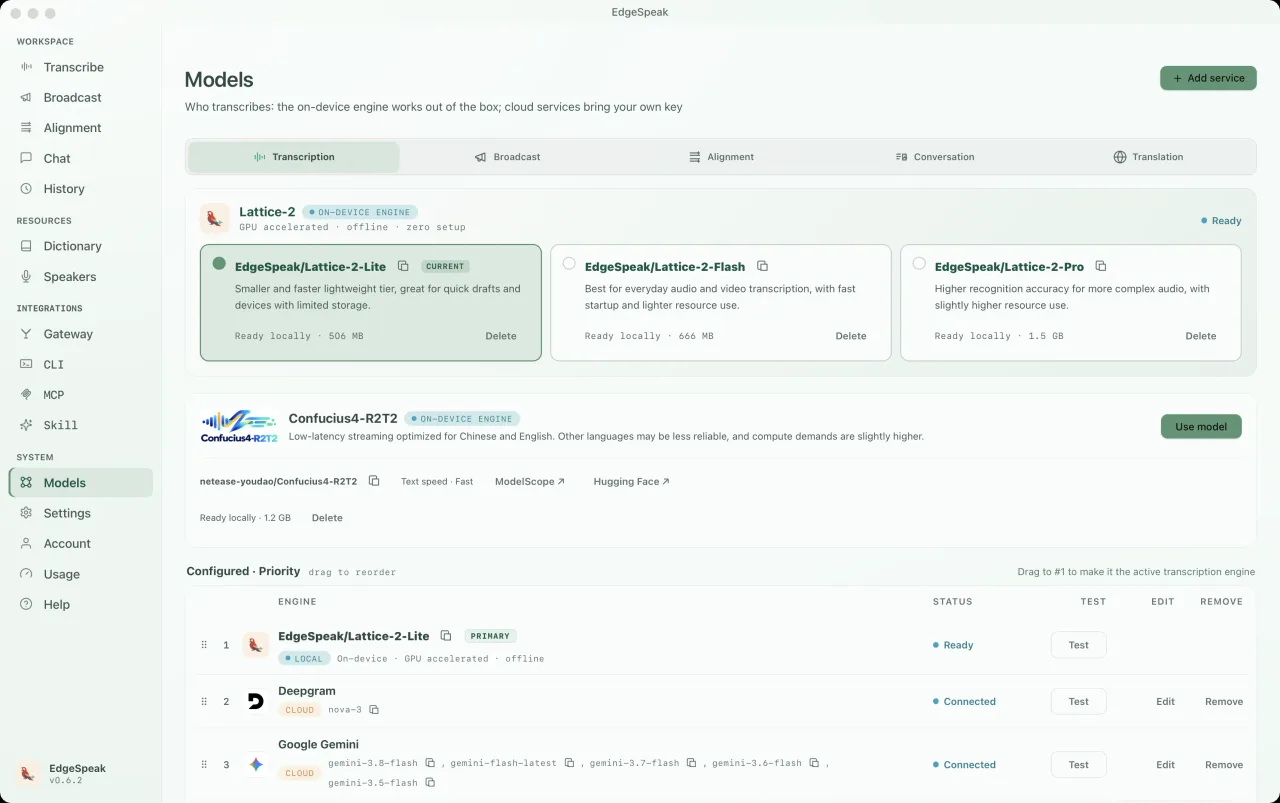
Lattice-2 Flash / Pro が 40 以上の言語に対応。
オンデバイス AI エンジン
音声・動画の文字起こし、音声生成、正確なタイムスタンプ付きの原稿と字幕を、お使いのパソコンで。
一度の支払いで、更新料なし。
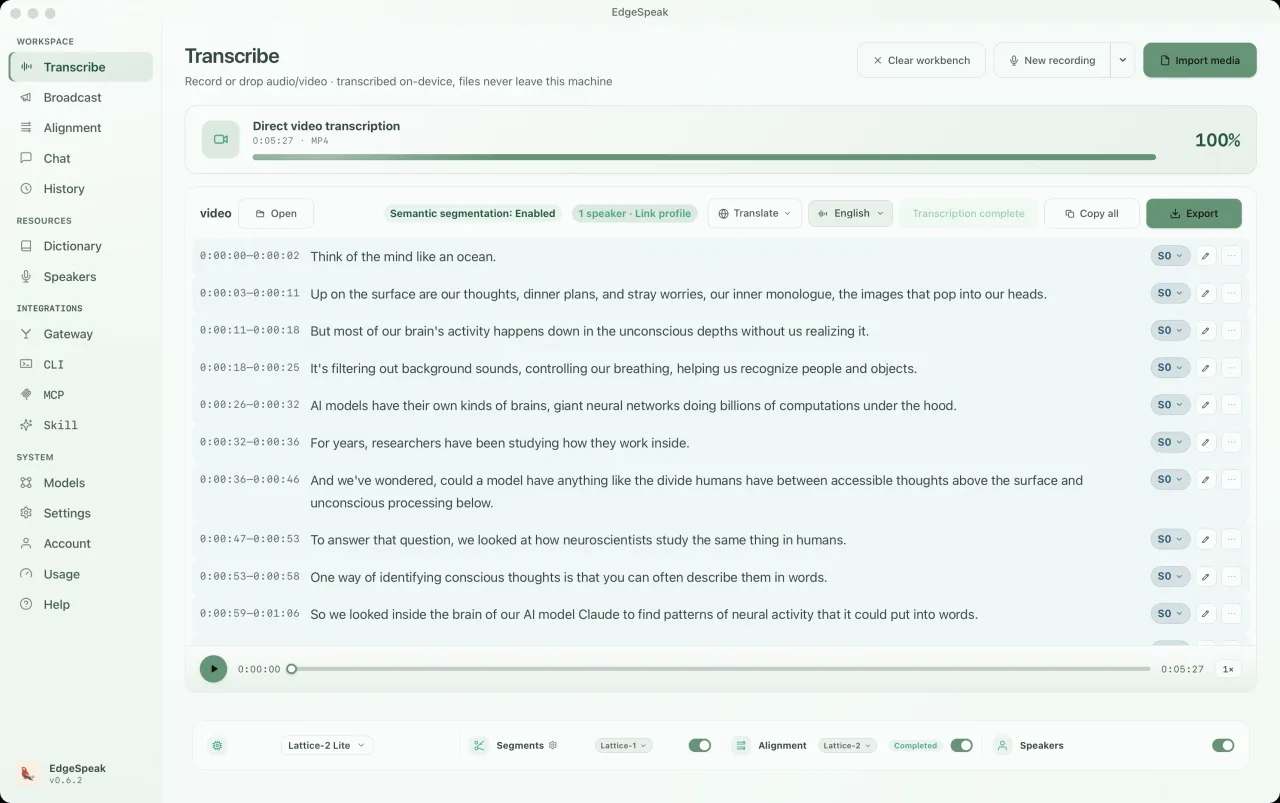
音声の理解と生成
Lattice-2 Flash / Pro が 40 以上の言語に対応。
ローカルのストリーミング合成で、生成しながら再生。
単語単位のタイムスタンプ。SRT、VTT、カラオケ字幕を出力。
音声やテキストでローカルモデルと会話。ペルソナ選択や同時通訳にも対応。
実際のデスクトップアプリ
PC上のモデルでチャットが動作します。音声とテキストを自由に切り替え、ペルソナを選択可能。すべてのやり取りは記録パネルに保存されます。
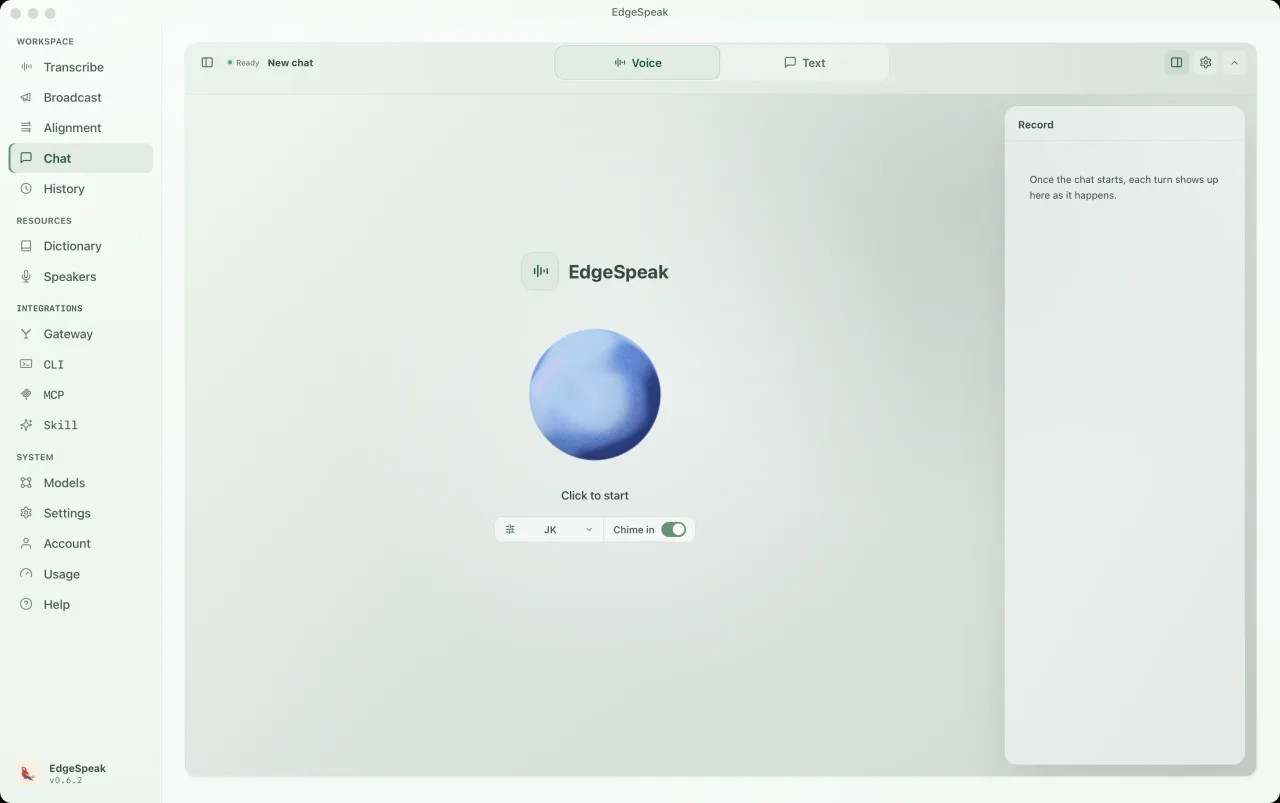
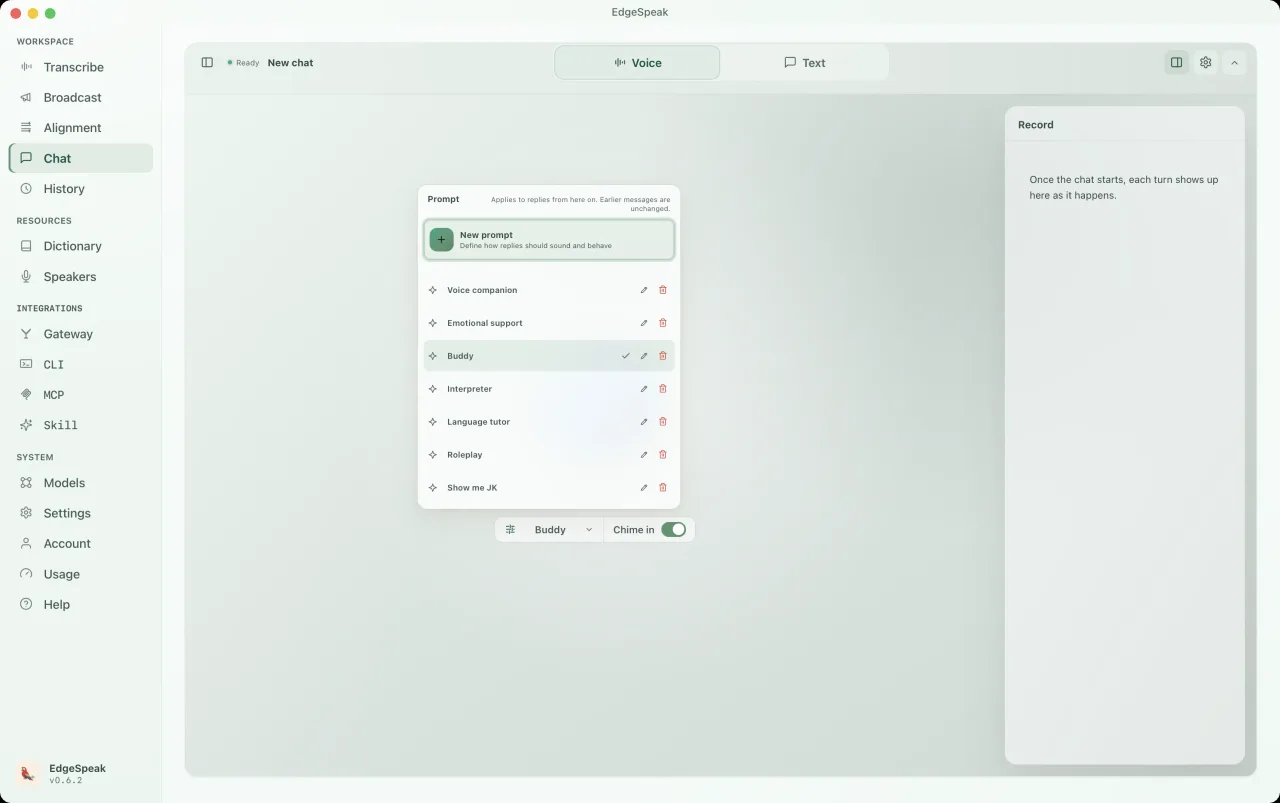
Buddy、音声コンパニオン、語学チューター、ロールプレイなどのプリセットから選ぶか、独自のプロンプトを作成できます。次の返答から適用されます。
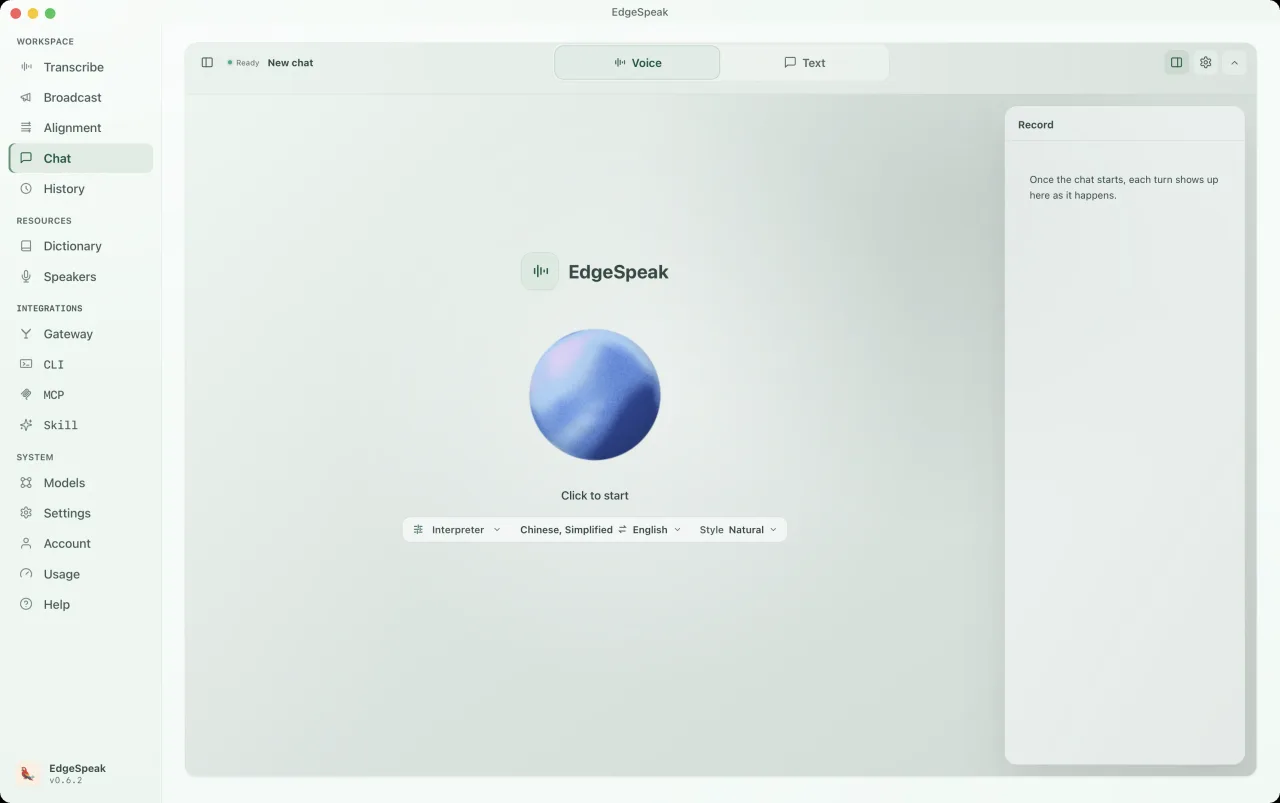
ペルソナを通訳に切り替え、言語ペアとスタイルを選んで話すだけです。内容は右側の履歴パネルに残ります。
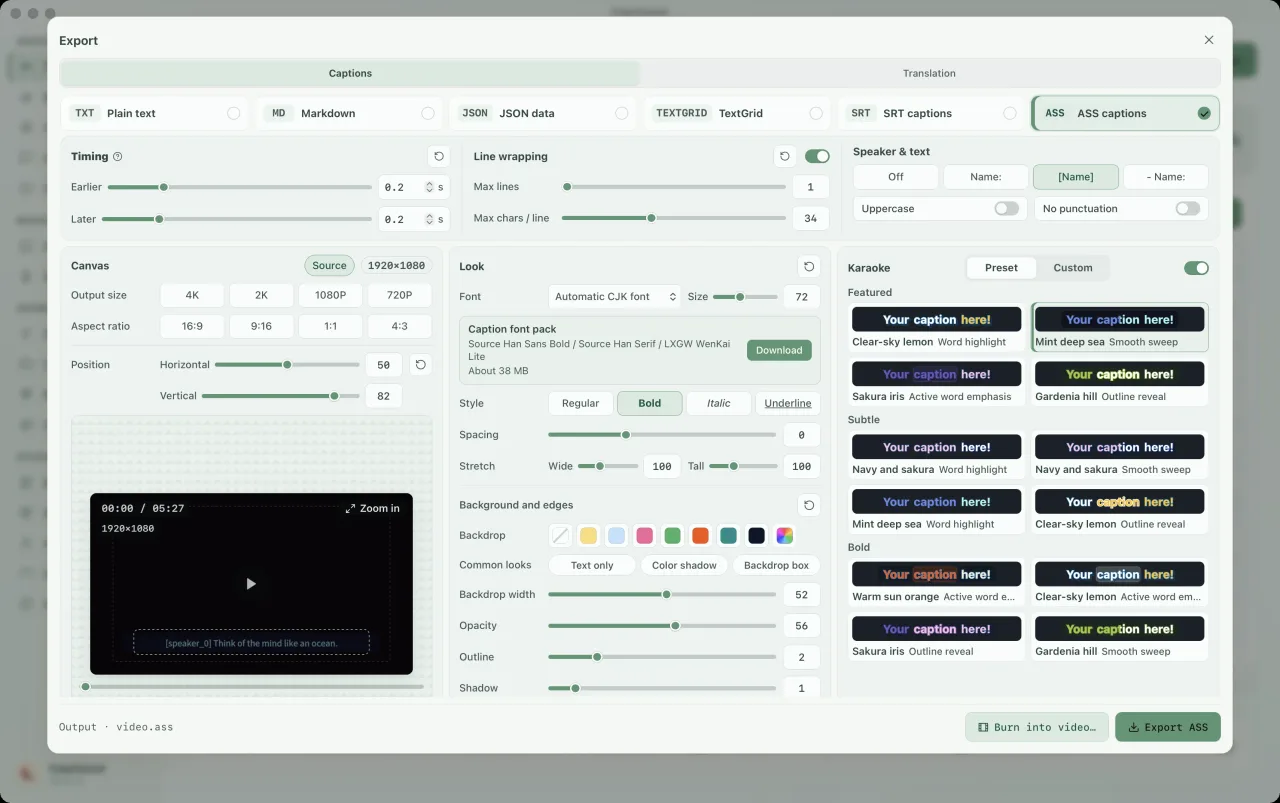
エクスポート画面で ASS 字幕を選び、カラオケをオンに。ハイライトのプリセット、フォント、色、キャンバスサイズを調整し、スタイルをプレビューして書き出せます。単語ごとのハイライトには単語単位のタイムスタンプが必要です。必要に応じて先にアラインメントを実行してください。
CLI とローカルゲートウェイ
CLI はローカル実行環境を内蔵。デスクトップアプリを開かずに文字起こし、テキスト・音声生成を行い、スクリプト、MCP、Agent と連携できます。
macOS / Linux は Terminal、Windows は PowerShell からインストールします。Linux では NVIDIA ドライバーまたは CUDA 環境を検出すると CUDA 版、見つからなければ CPU 版を入れます。--device cuda や --device cpu を付けて自分で指定することもできます。Windows では CUDA を任意で選べます。
macOS / Linux · Terminal
curl -fsSL https://edgespeak.com/install.sh | sh
Windows · PowerShell
irm https://edgespeak.com/install.ps1 | iex
ローカル AI ゲートウェイ
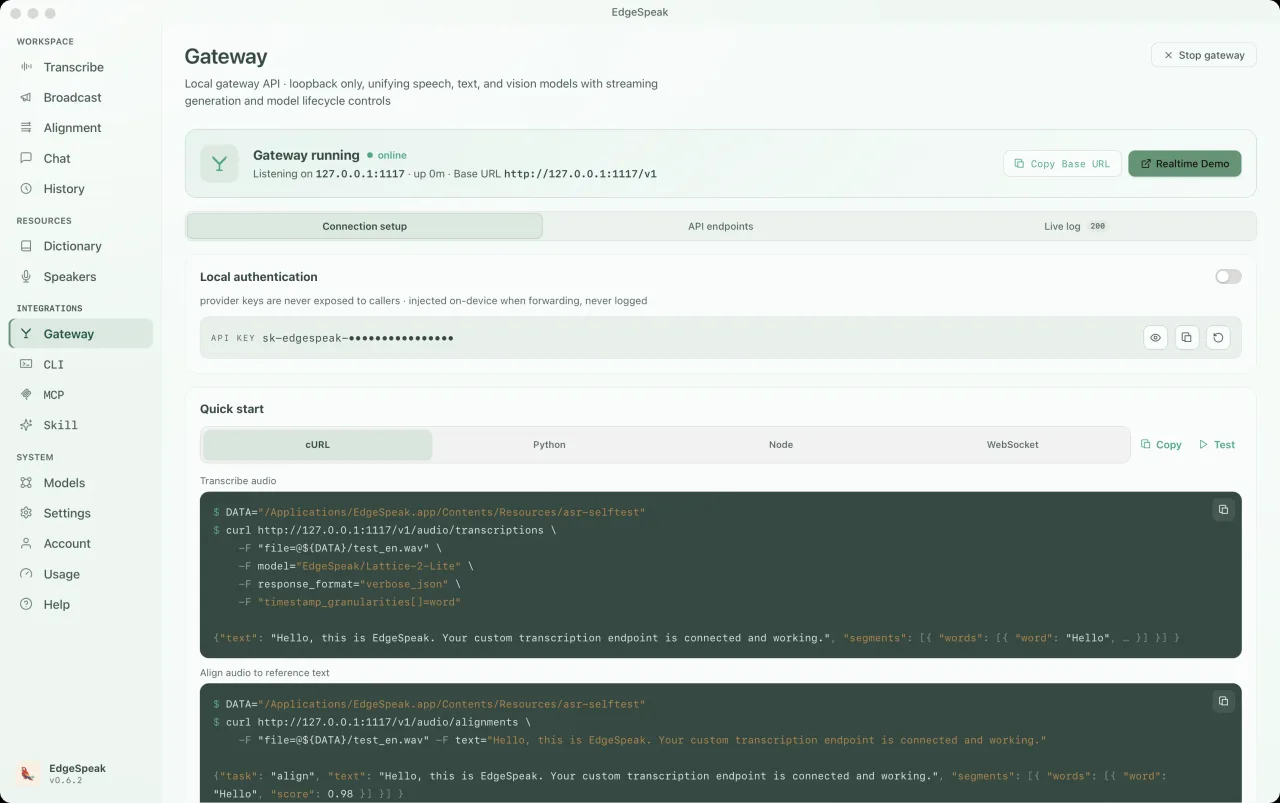
OpenAI 互換 API で OpenClaw、Claude Code、Cursor などと接続。文字起こし、音声合成、Chat Completions、Realtime を同じローカルゲートウェイで利用できます。
割り込みに対応した音声対話。開始前にローカル言語モデルを読み込んでください。
ws://127.0.0.1:1117/v1/realtimePOST /v1/audio/transcriptionslocalhost:1117curl http://127.0.0.1:1117/v1/audio/transcriptions \ -H "Authorization: Bearer sk-edgespeak-..." \ -F file=@meeting.m4a \ -F model="lattice-2-flash"
EdgeSpeak Skills は Claude Code や Cursor など Skills 対応エージェントに、CLI 経由のオンデバイス文字起こしを教えます。GitHub でオープンソース公開中。
npx skills add lattifai/EdgeSpeak
LOCAL LM + VLM · 0.6B — 27B
0.6B–27B の Qwen・Gemma モデルを搭載。Chat Completions / Responses でテキストと画像を処理し、入力と生成結果は端末内に保持します。
テキスト + 画像 · OpenAI 互換 · ローカル優先
互換性のある GGUF モデルを追加できます。画像理解には対応するプロジェクターファイルが必要で、モデルの選択はメモリとハードウェアに依存します。

Qwen/Qwen3-0.6B0.6B0.4 GBQwen/Qwen3.5-0.8B0.8B0.5 GBQwen/Qwen3.5-2B2B1.3 GB
google/gemma-4-E2B-it2B3.1 GBQwen/Qwen3.5-4B既定4B2.7 GBgoogle/gemma-4-E4B-it4B5.0 GBQwen/Qwen3.5-9B9B5.7 GBgoogle/gemma-4-12B-it12B7.1 GBQwen/Qwen3.6-27B27B16.8 GBテキスト + 画像 · OpenAI 互換 · ローカル優先
Choose by workflow
The right option depends on where media can go, how much workflow you want ready-made, and who should maintain the speech stack.
| Choose by workflow | EdgeSpeak | Cloud transcription | Self-managed local model |
|---|---|---|---|
| Source media | Stays on this device | Uploaded to a remote service | Stays on the machine you configure |
| Review workflow | Desktop playback, transcript, and export | Depends on the provider | You build the review surface |
| Tools and agents | Local CLI and OpenAI-compatible gateway | Hosted API | You build and maintain the integration |
| Operations | Install the app and local models | Manage an account, API keys, and network access | Maintain the runtime, models, and dependencies |
Workflows
非公開ファイル、ローカル音声・動画文字起こし、Agent 自動化、ローカルとクラウドの比較を確認できます。
Keep source media on-device and generate the transcript locally.
Review with playback, then export text or subtitles.
Install the EdgeSpeak Skill and let agents call the local CLI.
Choose by media location, processing scale, and integration path.
プライバシー
音声、動画、画像、会話、生成された原稿は、自分で書き出し・アップロード・共有しない限り端末内に留まります。
会議、インタビュー、動画を、コンピューター自身に理解させる。
テキストや字幕を書き出し、他のツールでも続きの作業に使えます。
Imported media and generated transcripts stay on your device unless you export, upload, or share them yourself.
EdgeSpeak is available for Apple Silicon Macs with macOS 14.0 or later. A Windows 10/11 x64 version is also available and supports in-app automatic updates.
Flash is tuned for faster everyday transcription. Pro raises the accuracy ceiling for harder audio and uses more local resources.
Yes. The bundled CLI and local OpenAI-compatible gateway let trusted tools on the same computer call the local speech engine.
価格
まずは無料でお試しいただけます。クレジットカード不要
入力分のみ課金、出力は無料
サブスク登録コミュニティの声
実際のワークフロー、Agent 連携の要望、製品アイデアを Discord で共有してください。
フィードバックは製品改善へ直接反映されます。