
정확한 전사
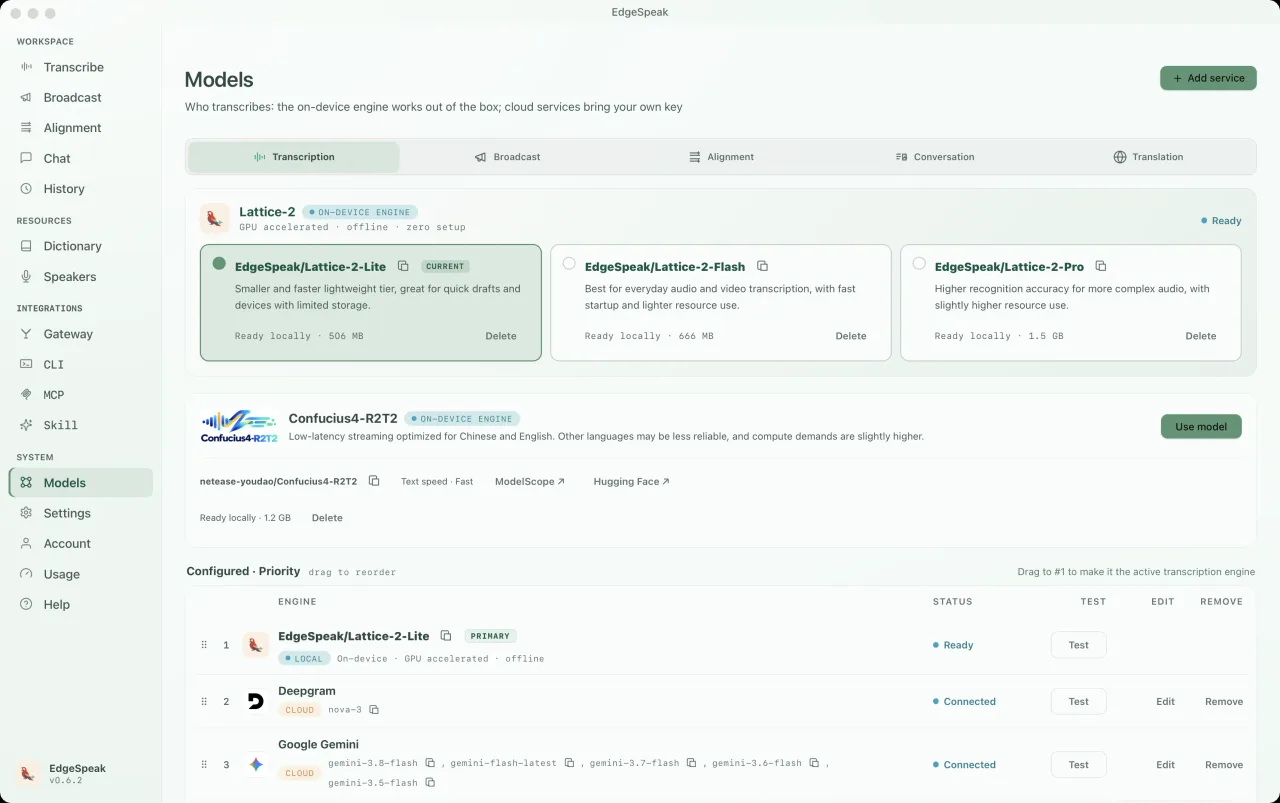
Lattice-2 Flash / Pro는 40개 이상의 언어를 지원합니다.
온디바이스 AI 엔진
내 컴퓨터에서 오디오와 비디오를 전사하고 음성을 생성하며, 정확한 타임스탬프가 있는 원고와 자막을 만드세요.
한 번 결제하고 갱신 없이 사용합니다.
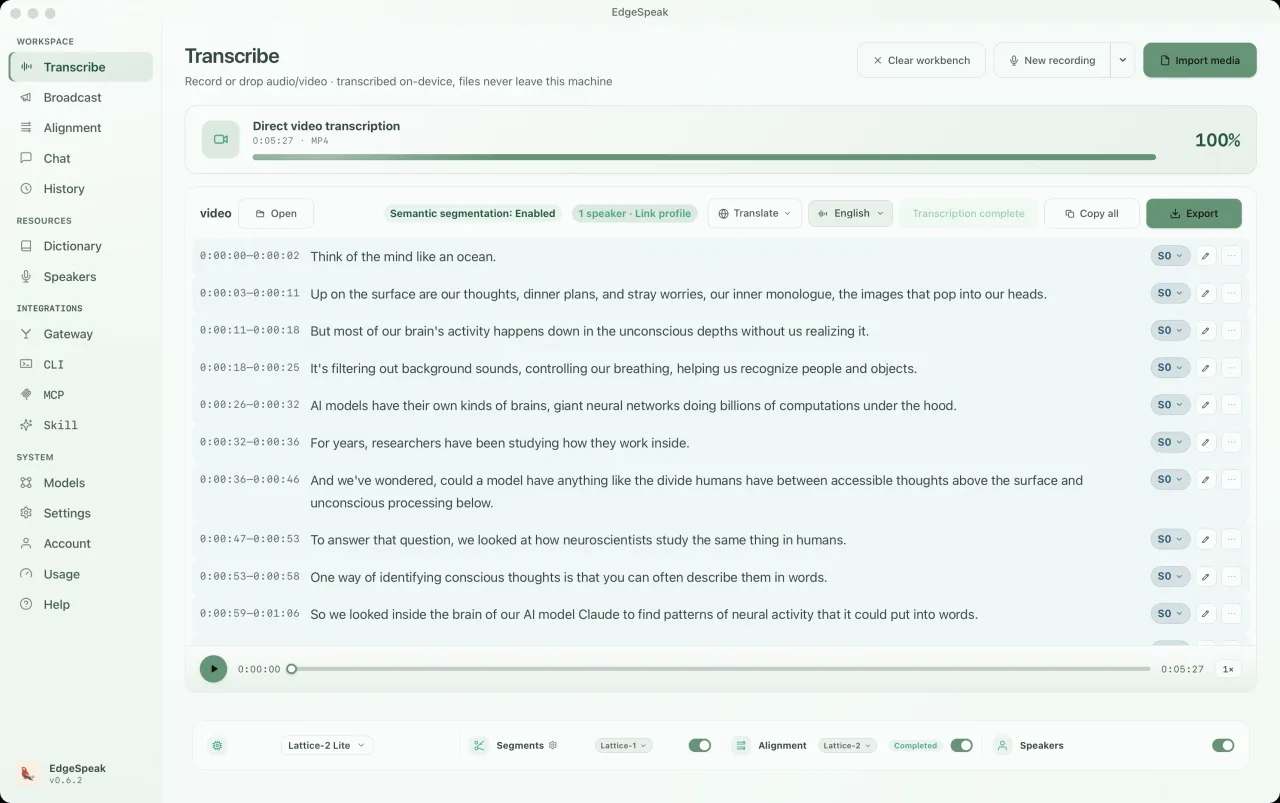
오디오 이해와 생성
Lattice-2 Flash / Pro는 40개 이상의 언어를 지원합니다.
로컬 스트리밍 합성으로 생성과 동시에 음성을 재생합니다.
단어별 타임스탬프와 SRT, VTT, 노래방 자막 내보내기.
음성이나 텍스트로 로컬 모델과 대화하며 페르소나와 실시간 통역을 지원합니다.
실제 데스크톱 앱
내 컴퓨터에서 로컬 모델로 채팅이 실행됩니다. 음성과 텍스트를 자유롭게 전환하고, 페르소나를 선택할 수 있으며, 모든 대화는 기록 패널에 저장됩니다.
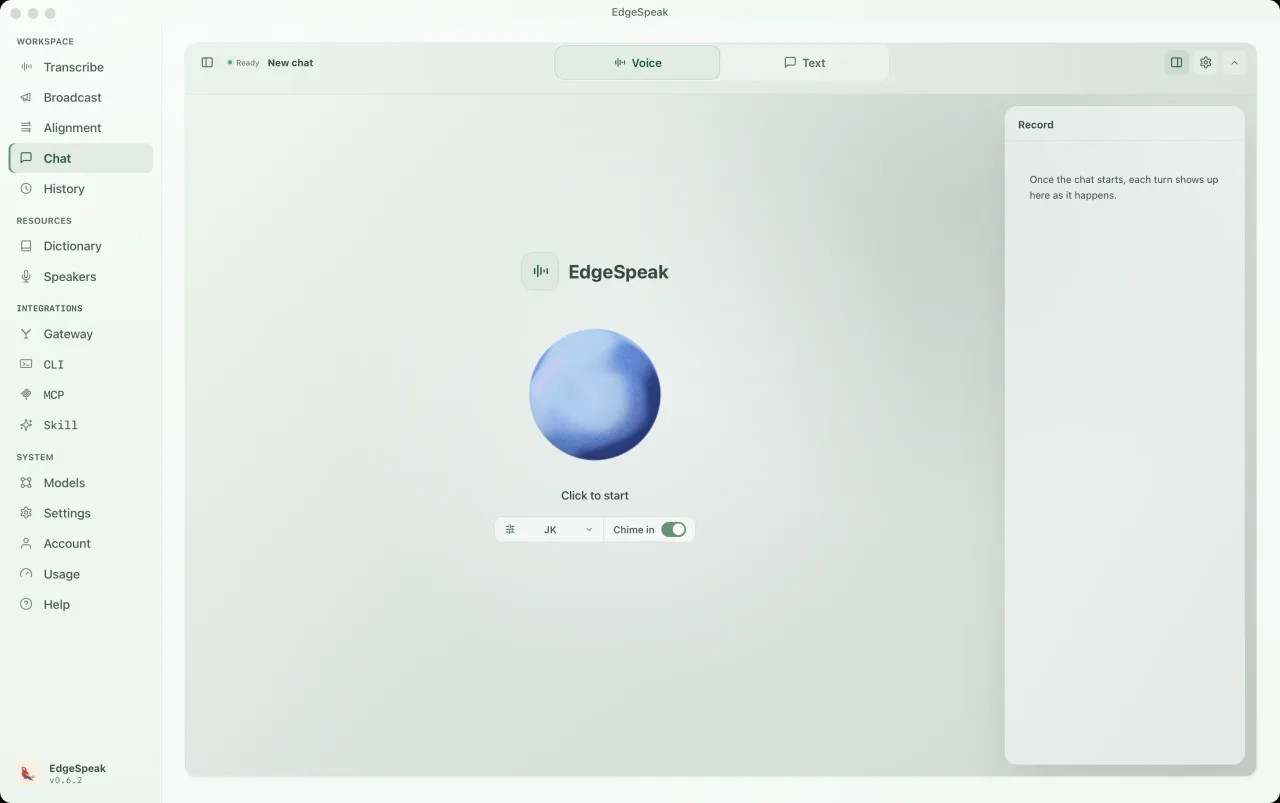
Buddy, 음성 대화 친구, 언어 튜터, 롤플레잉 등 기본 제공 페르소나를 선택하거나 직접 프롬프트를 작성할 수 있습니다. 다음 답변부터 바로 적용됩니다.
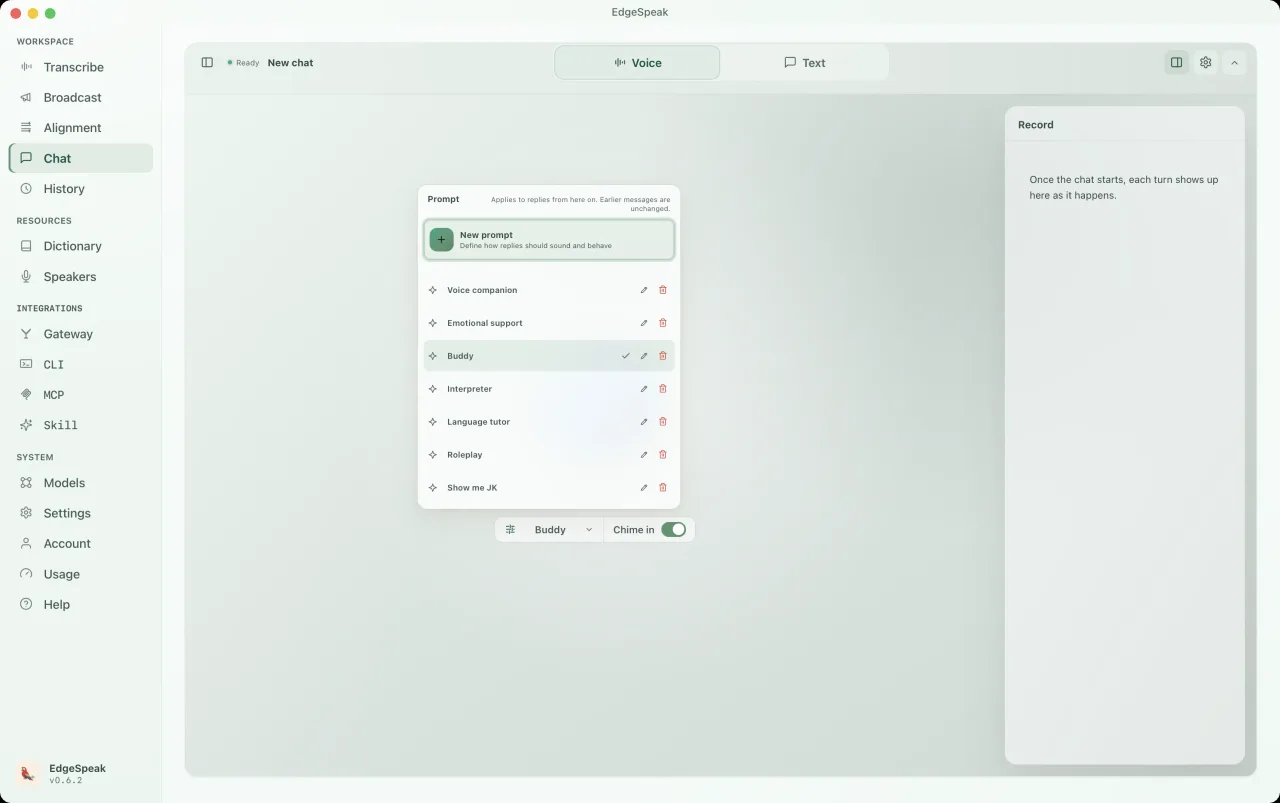
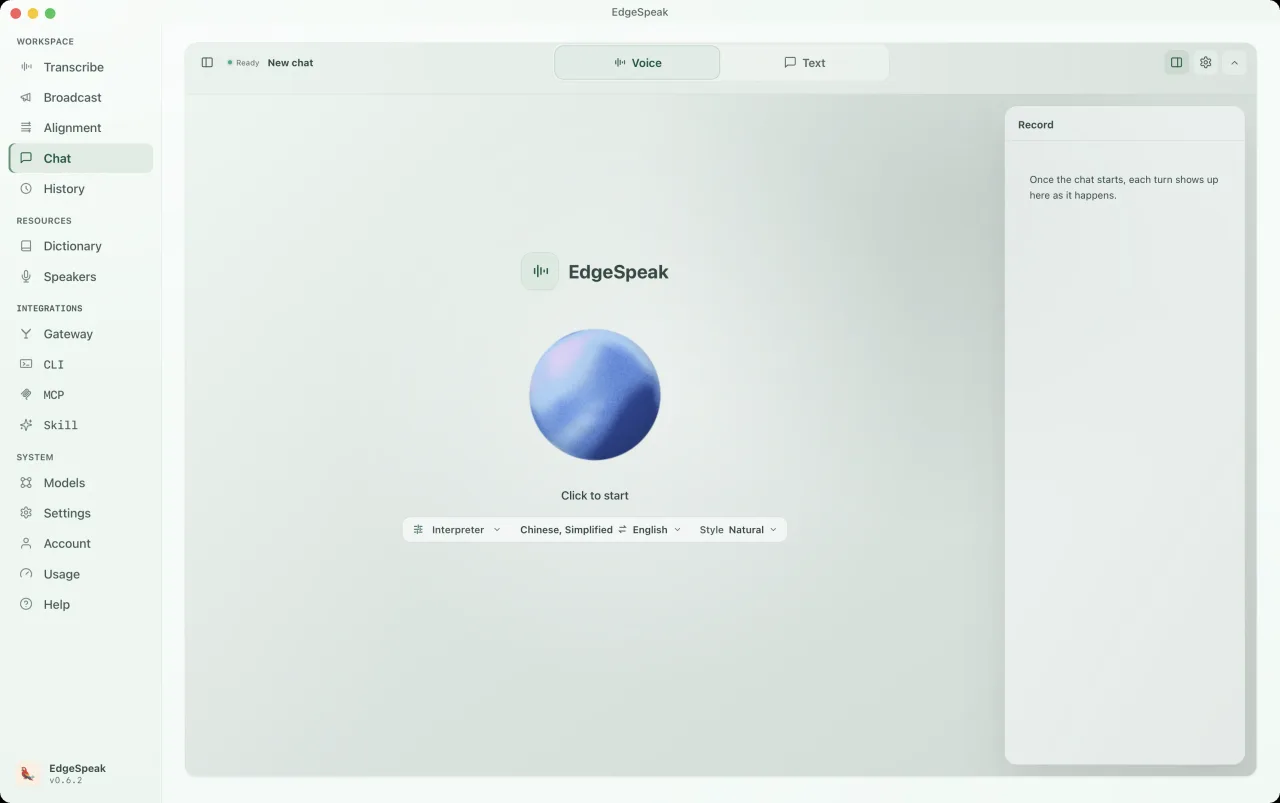
페르소나를 통역으로 전환하고 언어 쌍과 스타일을 선택한 뒤 말하기만 하면 됩니다. 대화 내용은 우측 기록 패널에 저장됩니다.
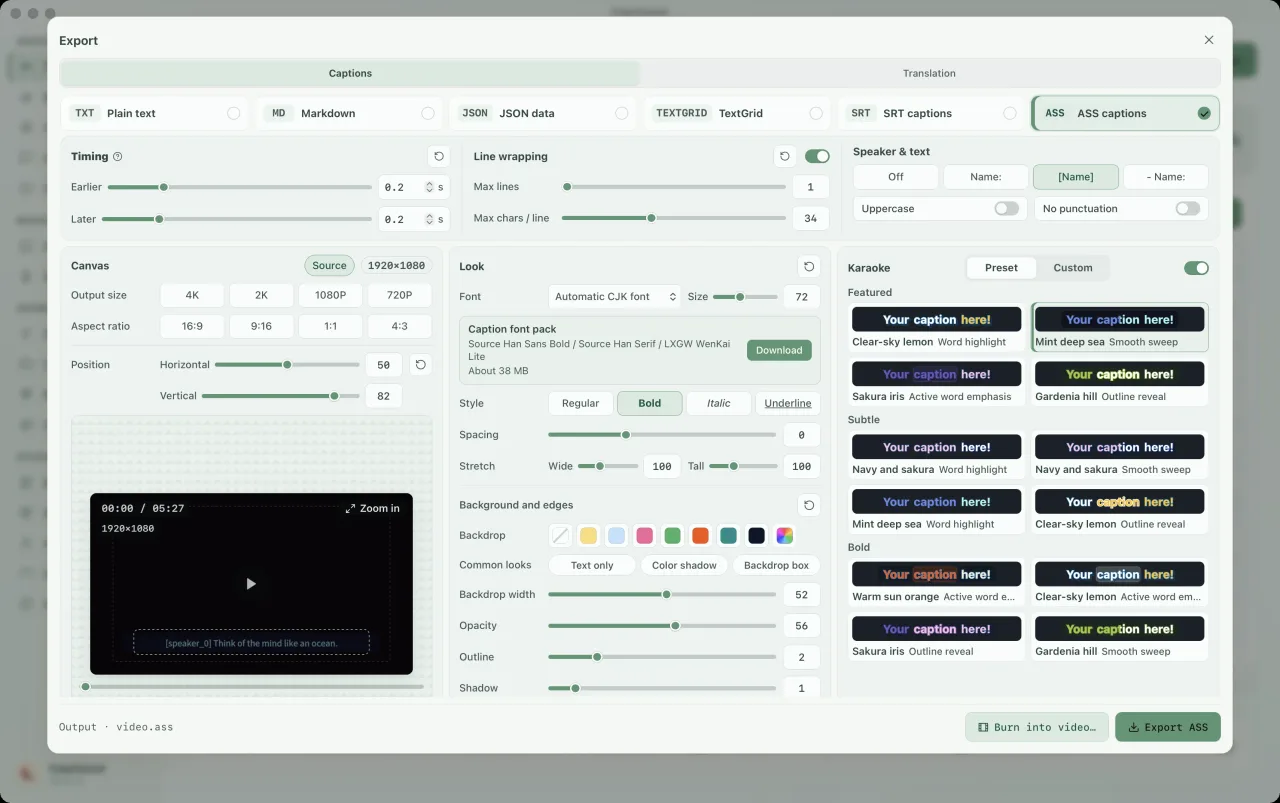
내보내기 화면에서 ASS 자막을 선택하고 노래방 효과를 켜세요. 강조 프리셋, 글꼴, 색상, 캔버스 크기를 조정하고 스타일을 미리 본 뒤 내보낼 수 있습니다. 단어별 강조에는 단어 타임스탬프가 필요하므로 필요한 경우 먼저 정렬을 실행하세요.
CLI 및 로컬 게이트웨이
CLI에 로컬 런타임이 포함되어 있습니다. 데스크톱 앱을 열지 않고 전사, 텍스트 및 음성 생성을 실행하고 스크립트, MCP, 에이전트와 연결하세요.
macOS와 Linux에서는 Terminal, Windows에서는 PowerShell로 설치합니다. Linux에서는 NVIDIA 드라이버나 CUDA 환경이 감지되면 CUDA 빌드를, 그렇지 않으면 CPU 빌드를 설치하며 --device cuda 또는 --device cpu로 직접 지정할 수도 있습니다. Windows에서는 CUDA를 선택 설치로 제공합니다.
macOS / Linux · Terminal
curl -fsSL https://edgespeak.com/install.sh | sh
Windows · PowerShell
irm https://edgespeak.com/install.ps1 | iex
로컬 AI 게이트웨이
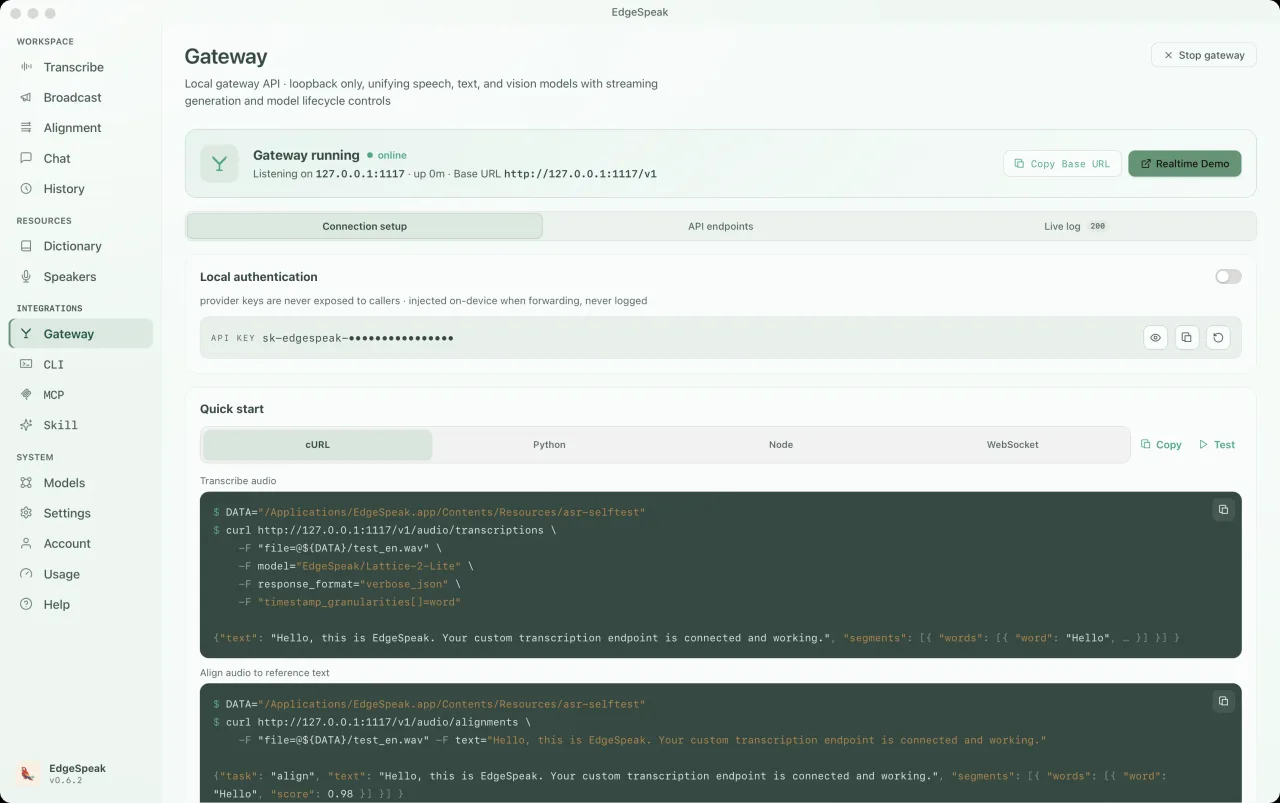
OpenAI 호환 API로 OpenClaw, Claude Code, Cursor 등의 도구를 연결하세요. 전사, 음성 합성, Chat Completions, Realtime이 하나의 로컬 게이트웨이를 공유합니다.
끼어들기를 지원하는 실시간 음성 대화. 시작 전에 로컬 언어 모델을 로드하세요.
ws://127.0.0.1:1117/v1/realtimePOST /v1/audio/transcriptionslocalhost:1117curl http://127.0.0.1:1117/v1/audio/transcriptions \ -H "Authorization: Bearer sk-edgespeak-..." \ -F file=@meeting.m4a \ -F model="lattice-2-flash"
EdgeSpeak Skills는 Claude Code, Cursor 등 Skills 지원 에이전트가 CLI로 온디바이스 전사를 하도록 가르칩니다. GitHub에 오픈소스로 공개되어 있습니다.
npx skills add lattifai/EdgeSpeak
LOCAL LM + VLM · 0.6B — 27B
0.6B–27B Qwen 및 Gemma 모델을 제공합니다. Chat Completions / Responses로 텍스트와 이미지를 처리하며 입력과 생성 결과는 기기에 보관됩니다.
텍스트 + 이미지 · OpenAI 호환 · 로컬 우선
호환되는 GGUF 모델을 가져오세요. 이미지 이해에는 해당 프로젝터 파일이 필요하며 모델 선택은 메모리와 하드웨어에 따라 달라집니다.

Qwen/Qwen3-0.6B0.6B0.4 GBQwen/Qwen3.5-0.8B0.8B0.5 GBQwen/Qwen3.5-2B2B1.3 GB
google/gemma-4-E2B-it2B3.1 GBQwen/Qwen3.5-4B기본4B2.7 GBgoogle/gemma-4-E4B-it4B5.0 GBQwen/Qwen3.5-9B9B5.7 GBgoogle/gemma-4-12B-it12B7.1 GBQwen/Qwen3.6-27B27B16.8 GB텍스트 + 이미지 · OpenAI 호환 · 로컬 우선
Choose by workflow
The right option depends on where media can go, how much workflow you want ready-made, and who should maintain the speech stack.
| Choose by workflow | EdgeSpeak | Cloud transcription | Self-managed local model |
|---|---|---|---|
| Source media | Stays on this device | Uploaded to a remote service | Stays on the machine you configure |
| Review workflow | Desktop playback, transcript, and export | Depends on the provider | You build the review surface |
| Tools and agents | Local CLI and OpenAI-compatible gateway | Hosted API | You build and maintain the integration |
| Operations | Install the app and local models | Manage an account, API keys, and network access | Maintain the runtime, models, and dependencies |
Workflows
비공개 파일, 로컬 오디오·비디오 전사, Agent 자동화, 로컬과 클라우드 옵션을 살펴보세요.
Keep source media on-device and generate the transcript locally.
Review with playback, then export text or subtitles.
Install the EdgeSpeak Skill and let agents call the local CLI.
Choose by media location, processing scale, and integration path.
개인정보
오디오, 비디오, 이미지, 대화 및 생성된 원고는 직접 내보내거나 업로드 또는 공유하지 않는 한 기기에 보관됩니다.
컴퓨터가 회의, 인터뷰, 영상을 직접 이해하게 합니다.
텍스트나 자막으로 내보내거나 다른 도구가 완성된 문서를 이어서 쓸 수 있습니다.
Imported media and generated transcripts stay on your device unless you export, upload, or share them yourself.
EdgeSpeak is available for Apple Silicon Macs with macOS 14.0 or later. A Windows 10/11 x64 version is also available and supports in-app automatic updates.
Flash is tuned for faster everyday transcription. Pro raises the accuracy ceiling for harder audio and uses more local resources.
Yes. The bundled CLI and local OpenAI-compatible gateway let trusted tools on the same computer call the local speech engine.
가격
먼저 무료로 써 볼 수도 있습니다. 신용카드 불필요
입력만 과금, 출력은 무료
구독하기커뮤니티 피드백
실제 워크플로, Agent 연동 요구, 제품 아이디어를 Discord에서 공유하세요.
피드백은 제품 개선에 직접 반영됩니다.